
In short
- Professional accounts use Professional dashboard; public personal accounts can use Your dashboard.
- Views count plays or displays, while viewers and accounts engaged count distinct accounts.
- Account reporting covers dates within the past 90 days; individual content has a different availability window.
In this article
To check Instagram Insights in the app, open your profile and tap Professional dashboard (professional accounts) or Your dashboard (public personal accounts). You can also open a post and tap View insights to see its own results. Instagram's current help pages also allow public personal accounts to use insights through Your dashboard, so a professional account is no longer the only eligible account type.12
Who can see Instagram Insights?
Instagram's public-account guidance includes both business or creator accounts and public personal accounts. The professional route uses Professional dashboard; the personal route uses Your dashboard. A private account cannot view insights: Instagram says switching back to private removes access.1
This guidance was checked against Instagram's English Help Center on November 10, 2026. If you have seen older instructions saying you must switch to professional, check whether your current public account already offers a dashboard before changing its type.
Keep access separate from whether a particular metric appears. Instagram calls some metrics estimated and in development. Its documentation also says Views is being introduced gradually, so a label may not appear for every account at the same time.3
The useful question is therefore specific: “Can I see this insight for this content and date range?” A missing field is not evidence that the measured action never happened.
How to check account and individual-post insights
Start with the account overview when you want a period-wide result. Start with an individual post when you want to understand that post. Keep those two scopes separate when recording your numbers.
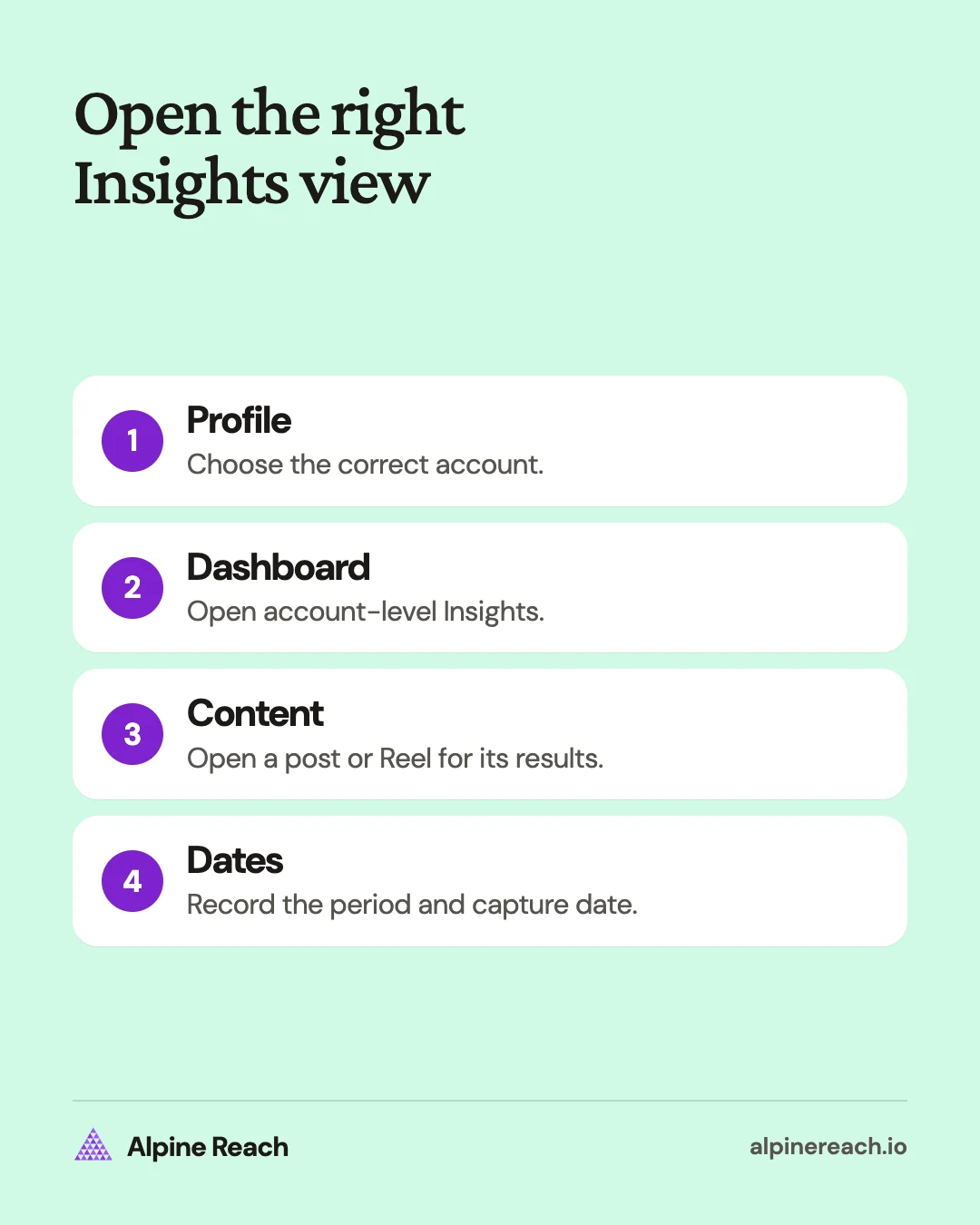
For a professional account in the Instagram app:
- Tap your profile picture to open your profile.
- Tap Professional dashboard (or Your dashboard on a public personal account).
- If you don't see a dashboard on your profile, tap More, open Settings and activity, and tap Insights below For professionals (or Your dashboard below Your insights and tools).
- Tap the metric you want to inspect, then tap the dropdown and choose a preset or custom period.
- Tap Update.
Instagram documents those steps and names Views, Interactions, New followers, and Content you shared in the app overview. For a public personal account, it directs you to Your dashboard instead.1
To inspect a feed post, open it from your profile and tap View insights. Instagram lists views, interactions, and profile activity for posts.2 To inspect a Reel, open the Reels tab on your profile, select the Reel, and choose View insights.4
On a computer, Instagram documents Dashboard in the left menu, followed by Insights for professional accounts or Your dashboard for personal accounts. Use the Insights dropdown to choose Account or Content, then adjust the date range.1
When you move between screens, write down whether you are reading the account, a filtered content list, or one item. Otherwise a total for everything published can easily be mistaken for a single post's performance.
Story insights
To check a story, open it and choose View insights from its options. Story insights cover views, viewers, interactions, accounts engaged, and profile activity. Stories expire after 24 hours, but Instagram keeps their insights for up to two years after they are created.5
What do the Instagram Insights metrics mean?
Read each metric as a count of a particular event or audience. Views, unique audience, and interactions answer different questions, even when they appear together.
| Metric | What Instagram counts | How to use it |
|---|---|---|
| Views | Times content was played or displayed | Track exposure while allowing for repeats |
| Viewers | Distinct accounts that saw content on screen at least once | Understand the unique audience reached |
| Interactions | Actions such as likes, comments, saves, and shares | Inspect the kinds of response |
| Accounts engaged | Distinct accounts that interacted | Separate people from action totals |
| Total followers | Audience trends, including growth and losses | Read growth alongside content results |
These definitions come from Instagram's account-insights page. It uses Viewers for unique accounts and still refers to reach in its content-library filters.3
If your interface says accounts reached, record that exact label and consult its information icon. Do not rename views as reach. In particular, Instagram says a Reel viewer can count after seeing it on screen even if it did not play.4
As an illustration, one person could see a post, like it, and save it. You would have several recorded actions or events, but still only one distinct account. This is why “interactions divided by reach” and “accounts engaged divided by reach” answer different questions. See the engagement rate formulas before treating either as a percentage of people.
Profile activity refers to actions taken when someone visits your profile after engaging with a post. Keep it separate from the post's interactions, and inspect any available breakdown before interpreting the total.2
For a Reel, Follows counts accounts that began following you as a result of viewing that Reel. That content-specific count is different from an account-wide follower total.4
How far back do Insights go?
Instagram's account and content overview lets you choose a period within the past 90 days. The app lists Last 7 days, Last 14 days, Last 30 days, Previous month, and Last 90 days, plus a custom period. A custom start and end must be at least one day apart.1
Individual content has a different availability window: post insights can remain available for up to two years, and Reel insights for up to two years after the original publication date. That does not extend the account overview's date selector.24
For monthly reporting, choose calendar dates rather than assuming a rolling period equals the previous month. Save your own month-end figures and their capture dates so you have a consistent comparison later.
Audience details have separate conditions. Instagram says demographic breakdowns require preset timeframes and more than 100 accounts reached or engaged. Total-follower trends require at least 100 followers.3 Try a longer preset period when an eligible audience breakdown is missing, rather than treating the empty section as a demographic result.
If you recently made an account public, Instagram warns that earlier insights may not be available. Its access page says returning to private removes access, with past data recoverable if you return to public within 90 days.1
How to read Reel watch time
Reel views count starts and replays. Watch time includes time spent replaying, while average watch time divides watch time by initial views. Initial views refer to the first play in a Reel session.4
Read average watch time alongside the video's length. For your own review, compare videos with a similar purpose and length before deciding which opening to repeat. A short clip and a detailed tutorial should not be judged solely by the same raw watch-time total.
Also keep views and viewers separate. Repeated plays can increase views without adding a new viewer. A high view count alone does not tell you how many distinct accounts watched or how many followed afterward.
Use a small reporting row for each Reel: topic, duration, publication date, capture date, views, viewers, watch time, interactions, and follows. Leave any unavailable fields marked as unavailable. That makes your next comparison easier to audit.
Why can't I see Instagram Insights?
The most common cause is a private account: Instagram removes access to insights when an account switches to private, and restores past data if you switch back to public within 90 days.1 Insights cover only content you create on your own account; you cannot open another account's Insights.2
Check that you are viewing your own account and the intended content. Confirm that the account is public, then try the dashboard route and the content's own View insights option. Review the date selection before concluding that older data is missing.
If a demographic section is empty, check its eligibility conditions. If one label differs from this guide, open the information icon rather than substituting a similar-looking metric. Keep the help-page date with any instructions you share with a teammate.
Once you can see the numbers, choose a question to answer. Compare saves on reference posts, interactions on discussion posts, or content-attributed follows on Reels. Use your own recent posts as context, then consult the Instagram benchmark guide for a method-matched outside comparison. The social media metrics guide includes a monthly report template for keeping those observations together.
FAQ
Do I need to change to a creator account to check Insights?
Instagram's current public-account help includes public personal accounts as well as professional accounts. Check for Your dashboard on a public personal account before changing account type.
Why are my audience demographics missing?
Check the preset date selection and the audience thresholds in Instagram's help. Try a longer preset window if your recent audience is too small for a breakdown.
Are Reel views the same as unique viewers?
No. Starts and replays can add views, while viewers counts distinct accounts that saw the Reel on screen. Those counts describe different aspects of exposure.
General information. Platform features, limits and benchmarks change: check the cited page before you rely on a number.
References
- Instagram. View account and content insights on Instagram. n.d. View source (accessed Nov 10, 2026).
- Instagram. View insights on your Instagram posts. n.d. View source (accessed Nov 10, 2026).
- Instagram. About Instagram insights. n.d. View source (accessed Nov 10, 2026).
- Instagram. View insights on your Instagram reels. n.d. View source (accessed Nov 10, 2026).
- Instagram. View insights on your Instagram Stories. n.d. View source (accessed Nov 10, 2026).