
In short
- AI adoption in a marketer survey does not establish results for individual creators.
- Check draft claims because ChatGPT can invent facts and references.
- Disclosure requirements distinguish types of generated and edited media.
In this article
Use AI to create social media content by giving it a specific brief, examples of your writing, and verified material to work from. Then edit the draft yourself, check its claims, and review the destination platform's disclosure rules. Start with a small, repeatable workflow you can supervise.
Where AI fits in your content process
Use it for bounded drafting tasks: suggesting angles from your notes, writing alternative openings, shortening a caption, or adapting an approved explanation. Decide the audience, point, and evidence before asking for copy.
AI use is common in marketing, but adoption is not proof of quality. In the Content Marketing Institute and MarketingProfs report published November 4, 2026, 88% of surveyed B2B marketers said their organizations used AI-powered content creation tools.1 The report covers 861 B2B marketers, mostly from North America, surveyed June 23 to August 11, 2026.1 That is a survey of marketers, not a measure of every creator's habits or the results you should expect.
Choose one task you regularly delay. For example, turn a rough explanation into a caption draft. Keep the original notes beside the result so you can see whether the tool preserved your point.
Most tools fall into three groups: general chat assistants for drafting and rewriting text, design apps with AI features for images and layouts, and scheduling apps with built-in writing assistants. Pick by the task you chose, and read that tool's own help pages on data handling before you paste in private notes.
Follow a workflow from brief to review
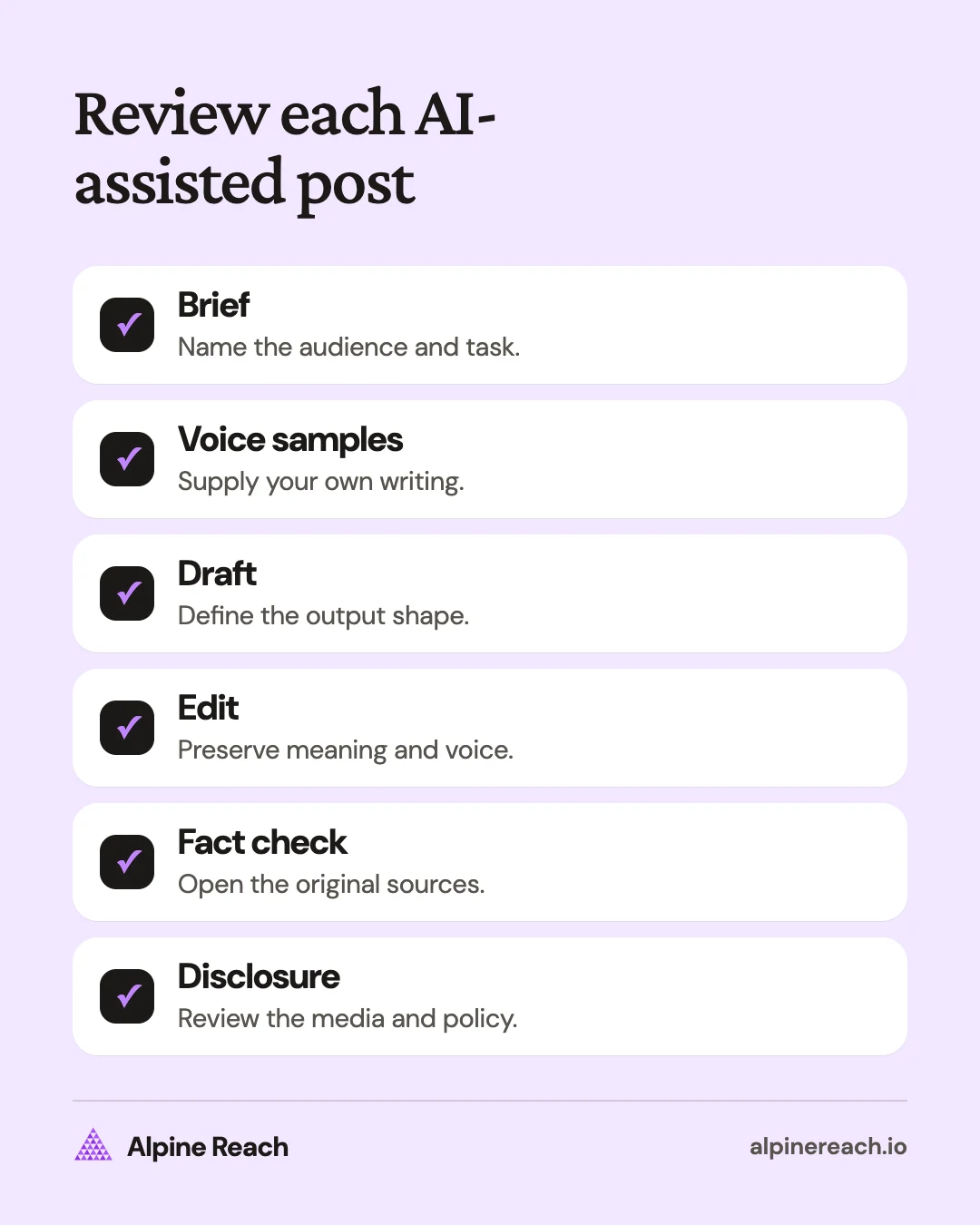
Use the following process for an individual post before applying it to a batch. Keep your source material and your instructions separate so the draft has a clear purpose.
1. Write a concrete brief
State the audience, their question, the platform, the format, and the action you want them to take. OpenAI's ChatGPT guidance recommends clear requests with relevant context and refinement after reviewing the response.2
An original brief might say: “Write an Instagram caption for freelance designers explaining what belongs in a project brief. Help a beginner start their own draft. Use only the notes below. End by asking which part they find hardest.”
Add the facts the copy must preserve and the claims it must not make. If a detail is missing, ask the tool to mark the gap rather than supply an answer.
2. Add examples of your own voice
Choose short passages you wrote and would still publish. Explain what you want preserved: direct openings, ordinary words, restrained humor, or candid qualifications. Include the tone needed for this particular post.
OpenAI's API prompting guide describes using input-and-output examples to demonstrate a desired pattern.3 For this editorial workflow, apply that idea with your own writing samples; the examples are context for the draft, not evidence that the output will perfectly match you.
Use the brand voice chart if you need to turn “sounds like me” into specific instructions.
3. Request one draft with a defined shape
Ask for a clear opening, an explanation, and an appropriate next action. Set a practical length for your format. Avoid asking for a full campaign while you are still deciding what the first post should say.
Original instruction: “Return one caption and two alternative first lines. Do not add anecdotes, quotes, statistics, or promises that are absent from my notes.”
Those numbers are suggested output choices, not platform limits. Adjust them to the amount of editing you can realistically do.
4. Edit for meaning and voice
Read the draft aloud. Replace phrases you would never say, remove repeated setup, and restore the example or qualification that makes the idea yours. Check whether the opening promises something the rest of the post actually delivers.
A draft can follow your sentence length and still misrepresent your opinion. Compare the conclusion with your notes before polishing the wording. If the argument is wrong, fix the argument first.
5. Check every factual claim
OpenAI warns that ChatGPT can produce incorrect information and invented references.4 Check names, dates, quantities, quotations, product details, and policy claims against the original documents before posting.
Ask the tool to list claims for review if that helps, then open the sources yourself. A source list attached to a draft is still something to verify. Remove anything you cannot support or rewrite it as a clearly labeled hypothetical example.
6. Review media and disclosure
Inspect the complete post, including images, video, and audio. Check the relevant platform policy for the kind of material you created. The section below separates the cited platforms' rules instead of treating all AI assistance as the same thing.
Keep the final draft and the reviewed media together. If someone changes the video after the caption is approved, review the combination again before publication.
A worked example: turn notes into your own caption
Say you are a freelance designer. Your approved notes say that a useful project brief names the audience, deliverable, and goal. You want to help a beginner start without pretending you have tested a universal method.
An invented draft to revise: “Ready to transform your workflow? A powerful project brief is essential for unlocking creative success.”
An original edited version: “Before you open a design file, write down who the project is for, what you're making, and what it needs to do. Those answers give your draft a starting point. Which part is hardest to pin down?”
The edit replaces vague excitement with the actual advice. It does not add a personal success story or a performance claim. The question follows from the content rather than appearing as a generic request for comments.
For an announcement, you might need a warmer opening. For a cancellation, remove playful wording. The voice vs tone comparison explains how to make that change without rewriting your whole voice guide.
When do platforms require an AI label?
As of November 10, 2026, the primary pages checked for this article distinguish types of media and edits. This table summarizes selected organic-content rules; it is not a complete policy guide for ads, political content, or every platform.
| Platform | What the cited page says | What to check before uploading |
|---|---|---|
| Facebook, Instagram, and Threads | Meta's published disclosure rule covers digitally created or altered photorealistic video and realistic-sounding audio.5 | Check whether your media fits the disclosure requirement and use the platform's disclosure tool when required. |
| Meta's labeling approach | Meta says it uses “AI info” labels for generated media based on detected signals or self-disclosure, with edited-only content labels moved to the post menu.6 | Distinguish an automatically applied label from your responsibility to disclose. |
| TikTok | TikTok requires labels for AI-generated content containing realistic images, audio, or video.7 | Review both the visual and audio content, including realistic scenes you generated from scratch. |
| YouTube | YouTube requires disclosure of realistic AI-generated or altered content, including certain depictions of people, events, and places, and music that is the video's main focus.8 | Review the examples on the help page before making the disclosure choice. |
YouTube also lists production assistance such as outlines, scripts, captions, and ideas among examples that do not require disclosure.8 Do not apply that exception to another platform without reading its own policy.
TikTok may also add an “AI-generated” label automatically, for example when you use TikTok AI effects or upload content with C2PA Content Credentials attached, and you cannot remove that label afterward.7
What should you never delegate without human judgment?
Keep these decisions with the person responsible for the account:
- Your experience and opinions. Supply real observations yourself. Do not publish a generated first-person anecdote as something that happened to you.
- Consent and confidentiality. Decide what you are authorized to share before putting private material into any tool.
- Claims and commitments. Confirm the offer, price, timeline, and limitations against the actual business information.
- Sensitive replies. Read the conversation before approving responses about complaints, grief, conflict, or a public mistake.
- Final publication. Review the draft with its visuals and destination before scheduling or posting it.
If you work for someone else, follow their approved tools and handling rules.
Keep the process useful after the first draft
Save the prompt, the original output, and the edited post. Note which changes restored your meaning or voice. Use those observations to improve the next brief rather than adding more vague adjectives.
Compare the effort required to edit a draft with writing it yourself. Review the quality of the finished explanation and the relevance of replies, not just how many drafts you produced. If the process adds work without improving the result, narrow the task.
For task-specific instructions, use the ChatGPT prompts for social media posts. Choose one, add your own context, and keep the same review process.
FAQ
Which task should I try with AI first?
Choose a small task with source material you can check, such as shortening your own draft. Compare the editing effort with doing it yourself before expanding the workflow.
Does using AI for a caption automatically answer the disclosure question?
No. Review the entire post, including its images, video, and audio, against the destination platform's current rules. The article summarizes selected organic-content policies, not every possible requirement.
What if the draft sounds like me but changes my opinion?
Fix the meaning before the style. Compare the conclusion with your notes, restore your actual view, and add the correction to the next brief.
General information. Platform features, limits and benchmarks change: check the cited page before you rely on a number.
References
- Content Marketing Institute. Faster and Cheaper, But Not Better: What the 2027 B2B Content and Marketing Trends Report Reveals About AI, Speed, and Trust. 2026. View source (accessed Nov 10, 2026).
- OpenAI. Prompt engineering best practices for ChatGPT. n.d. View source (accessed Nov 10, 2026).
- OpenAI. Prompt engineering. n.d. View source (accessed Nov 10, 2026).
- OpenAI. Does ChatGPT tell the truth? n.d. View source (accessed Nov 10, 2026).
- Meta. Labeling AI-Generated Images on Facebook, Instagram and Threads. 2024 (updated 2025). View source (accessed Nov 10, 2026).
- Meta. Our Approach to Labeling AI-Generated Content and Manipulated Media. 2024 (updated 2025). View source (accessed Nov 10, 2026).
- TikTok. About AI-generated content. n.d. View source (accessed Nov 10, 2026).
- YouTube Help. Disclosing use of GenAI content. n.d. View source (accessed Nov 10, 2026).