
In short
- Give ChatGPT a specific task and relevant context.
- Use examples to demonstrate the writing pattern you want.
- Verify important claims even when the draft sounds natural.
In this article
Useful ChatGPT prompts for social media posts specify the audience, the task, the format, and examples of your own writing. Use the original prompts below to draft ideas, hooks, captions, LinkedIn posts, adaptations, and replies. Replace the bracketed fields and review the output before publishing.
Add context before using a prompt
OpenAI recommends clear, specific requests with relevant context, followed by refinement based on the response.1 For tone, OpenAI suggests naming it with descriptive adjectives such as formal, friendly, professional, or humorous.1 Pair the adjective with your voice sample so the model has an example, not just a label. Start with material you are authorized to use, then choose the task you need help with.
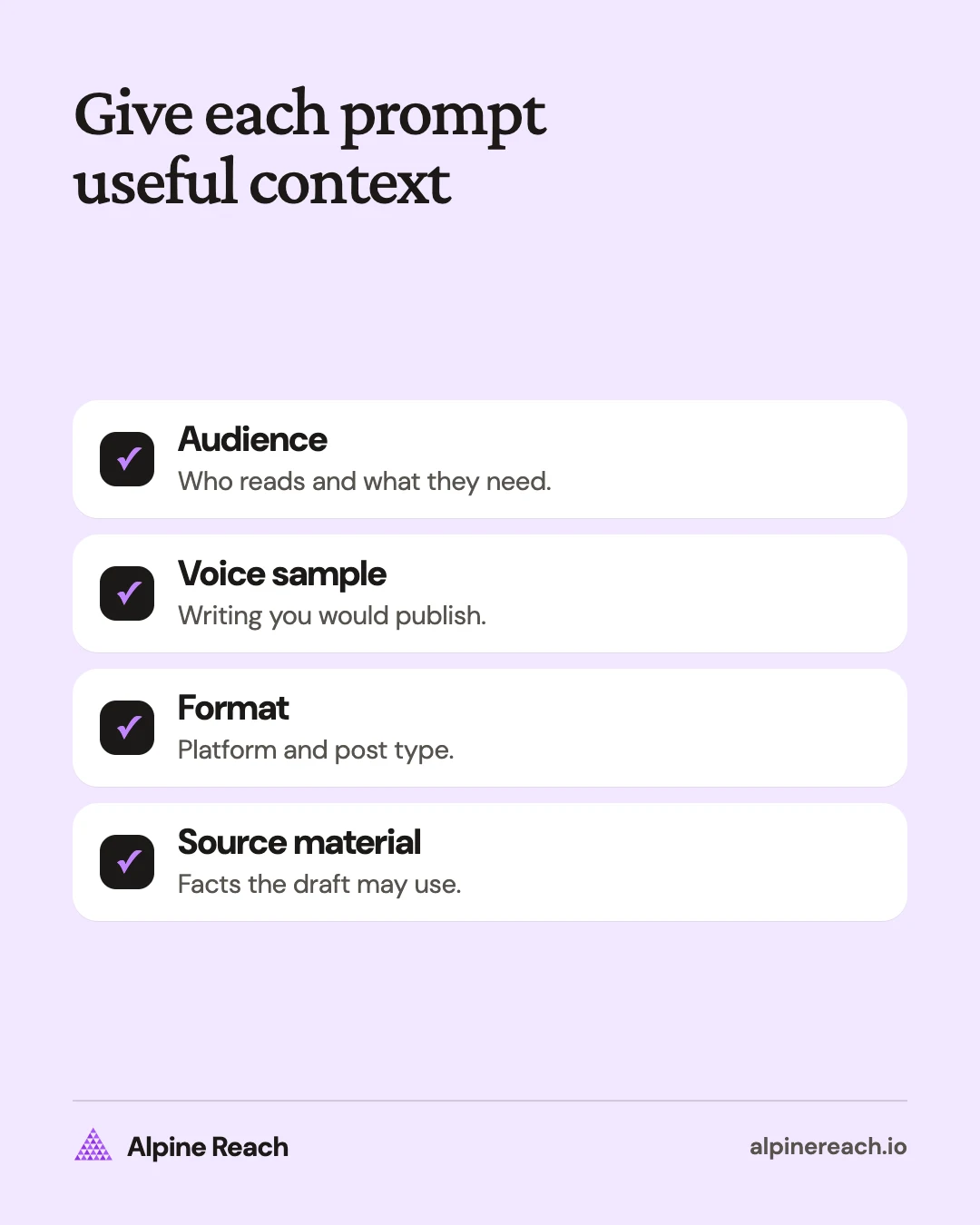
For every prompt, prepare:
- Audience: Who is reading, what they know, and what they need.
- Voice sample: Your own approved writing, with a note about the traits to keep.
- Format: The platform and the kind of post, such as a caption, text post, or reply.
- Source material: The facts, notes, draft, or transcript the output may use.
Each prompt repeats those fields so you can copy it on its own. The requested counts and lengths are editable drafting choices, not platform limits. The prompts are our own templates; adjust them to your material.
Why your own examples help
“Write something professional” leaves the desired style vague. A sample lets you show what a clear opening or restrained joke looks like in your writing. OpenAI's prompting guide describes providing examples to demonstrate a pattern for the model to follow.2
If you reuse the same audience and voice notes, save them in ChatGPT's custom instructions, which apply to all your chats (on the web, Settings, then Personalization). As of November 2026, Free and Go plans allow up to 1,500 characters and paid plans up to 5,000.3
For example, a voice sample might say: “Start with the task your reader is trying to finish. Then give them the next step.” Add an instruction to preserve the directness without copying the sentence.
Create your reusable instructions with the brand voice chart. OpenAI also warns that ChatGPT can invent facts and references, so verify important claims even when the draft sounds natural.4
Prompts for content ideas
Use these when you have knowledge or notes but have not chosen the next post. A useful result names a specific reader problem and gives you something you can actually explain.
1. Find angles in your notes
Audience: [who they are and what they need]. Voice sample: [your approved writing]. Format: [platform and post type]. From these notes [paste], suggest five post angles. For each, give the reader question, the useful answer, and the supporting detail from my notes. Mark missing evidence instead of inventing it.
2. Turn a recurring question into post ideas
Audience: [who asks this question]. Voice sample: [your approved writing]. Format: [platform and post type]. My recurring audience question is [question]. My answer is [paste]. Suggest three distinct posts that explain different parts of the answer. Keep the ideas within my supplied knowledge and label any assumptions about readers.
3. Plan posts around work you can show
Audience: [reader and goal]. Voice sample: [your approved writing]. Format: [platform and available formats]. Here is work I can discuss publicly: [list]. Suggest four posts using only that material. Name what I would show, the point I would explain, and any permission I need to confirm. Do not invent results.
4. Find a useful follow-up
Audience: [who read the original]. Voice sample: [your approved writing]. Format: [platform and post type]. Original post: [paste]. Reader questions, with private details removed: [paste]. Suggest follow-up ideas that answer those questions without repeating the original. Separate actual questions from your inferences. Do not infer the audience's wider opinions.
5. Draft a one-week plan
Audience: [who they are and what they need]. Voice sample: [your approved writing]. Format: [platforms and how often you post]. My content pillars (the topics I post about): [list]. Notes and material I can use: [paste]. Draft a one-week posting plan as a table with day, platform, pillar, post idea, and format. Use only my material, mark any idea that needs a fact or example I have not supplied, and do not predict engagement.
Prompts for opening hooks
Use these after you know the point of the post. Judge each first line against what the finished post can support.
6. Write direct openings
Audience: [reader and problem]. Voice sample: [your approved writing]. Format: [platform and post type]. Draft: [paste]. Write five alternative first lines that state the useful point directly. Keep the draft's meaning. Avoid unsupported urgency, vague teasers, and claims about results. Return each line with a short reason it fits this reader.
7. Open with a specific question
Audience: [reader and task]. Voice sample: [your approved writing]. Format: [platform and post type]. Source notes: [paste]. Write three question-based openings that the notes actually answer. Keep each question specific enough for the reader to recognize the task. Do not imply that all readers have the same problem.
8. Replace an exaggerated hook
Audience: [reader]. Voice sample: [your approved writing]. Format: [platform and post type]. Hook: [paste]. Supporting body: [paste]. Rewrite the hook in three restrained ways. Remove claims the body cannot substantiate. Preserve any useful factual detail and list anything you removed because evidence was missing.
9. Match the opening to the tone
Audience: [reader and emotional context]. Voice sample: [your approved writing]. Format: [platform and post type]. Facts: [paste]. Write an upbeat opening and a matter-of-fact opening using the same facts. Add no new benefits or promises. Explain which situation each version would suit, without predicting engagement.
Prompts for Instagram captions
Pair the draft with the actual visual. The caption should explain something the image or video needs, rather than describe an asset the tool has not seen.
10. Explain a process
Audience: [reader and experience level]. Voice sample: [your approved writing]. Format: Instagram caption for [photo, carousel, or video]. Visual description: [describe]. Process notes: [paste]. Draft a concise caption explaining the process and one useful next action. Use only the supplied details. Do not pretend the visual shows anything I did not describe.
11. Announce something clearly
Audience: [reader]. Voice sample: [your approved writing]. Format: Instagram announcement caption. Confirmed details: [what, who, when, time zone, where, limitations]. Write a clear announcement with a suitable next action. Ask for any missing essential detail before drafting. Do not invent availability, pricing, urgency, or a link.
12. Shorten your own draft
Audience: [reader]. Voice sample: [your approved writing]. Format: Instagram caption. Draft: [paste]. Shorten this while preserving [essential facts and qualification]. Keep my point of view and natural vocabulary. Remove repeated setup. Show the revised caption and list any information you removed so I can check it.
13. Close with a relevant question
Audience: [reader and task]. Voice sample: [your approved writing]. Format: Instagram caption. Caption: [paste]. Suggest four closing questions directly related to the advice. Each should invite a specific answer I could use for a future explanation. Avoid requests to comment a keyword or share private information.
For the surrounding structure, see the Instagram caption guide.
Prompts for LinkedIn posts
Supply the experience, evidence, and opinion yourself. These prompts ask for a shape and an explanation, not an invented professional history.
14. Explain a work decision
Audience: [professional reader and role]. Voice sample: [your approved writing]. Format: LinkedIn text post. Decision notes: [situation, options, choice, reason, limitation]. Draft a post that opens with the decision, explains the tradeoff, and ends with a practical takeaway. Use only my notes. Do not add achievements or imply measured results.
15. Teach one useful concept
Audience: [role and knowledge level]. Voice sample: [your approved writing]. Format: LinkedIn educational post. Concept and verified explanation: [paste]. Explain one idea in plain language, then give a clearly hypothetical example and a next step. Label the example as hypothetical. Preserve the limitations in my explanation.
16. Build a post from a real observation
Audience: [professional reader]. Voice sample: [your approved writing]. Format: LinkedIn text post. My actual observation: [paste]. What I think it means: [paste]. What I cannot conclude: [paste]. Draft a post separating those parts. Do not turn an observation into a universal rule or invent a story around it.
17. Edit a draft that sounds too corporate
Audience: [professional reader]. Voice sample: [your approved writing]. Format: LinkedIn text post. Draft: [paste]. Rewrite abstract phrases into concrete language while preserving the facts and degree of certainty. Keep my viewpoint. Show changed phrases with brief reasons. Flag any sentence that needs evidence rather than strengthening its claim.
Use how to write a LinkedIn post when you need help choosing the central argument.
Prompts for repurposing approved material
Adapt material you own or have permission to use. Specify what the new post should teach instead of asking for a shortened copy of everything.
18. Turn an article into a caption
Audience: [reader and need]. Voice sample: [your approved writing]. Format: Instagram caption for [visual description]. Approved article: [paste]. Choose one useful point and draft a caption around it. Preserve any qualification and source attribution attached to that point. List the passage you used so I can verify the adaptation.
19. Turn a transcript into a text post
Audience: [professional reader]. Voice sample: [your approved writing]. Format: LinkedIn text post. My approved transcript: [paste]. Identify one self-contained argument, then draft a post around it. Preserve my meaning and distinguish opinion from factual claims. Do not invent a quote, result, or example to make the story smoother.
20. Outline a carousel
Audience: [reader and task]. Voice sample: [your approved writing]. Format: [platform] carousel. Source material: [paste]. Outline six slides explaining one idea. Give each slide a short heading and one main point. Preserve the original caveats. Mark slides that need a visual example I must supply. Do not claim this is an optimal slide count.
21. Adapt a caption into a short script
Audience: [viewer and knowledge level]. Voice sample: [your approved writing or transcript]. Format: short video script for [platform]. Approved caption: [paste]. Visuals I can record: [list]. Write a spoken version with simple recording notes. Keep every factual claim within the caption and do not propose footage that falsely implies a real event.
Prompts for replies and final editing
Read the conversation before using a suggested response. Confirm that the action mentioned is something you can carry out.
22. Answer a routine question
Audience: [person asking and relevant context]. Voice sample: [your approved replies]. Format: comment reply on [platform]. Question with personal details removed: [paste]. Approved answer facts: [paste]. Draft a short helpful reply. If the facts do not answer the question, identify the gap. Do not invent a policy or promise follow-up.
23. Acknowledge a complaint
Audience: [person affected and context]. Voice sample: [your approved sensitive replies]. Format: public comment reply on [platform]. Complaint, anonymized: [paste]. Confirmed facts and authorized remedy: [paste]. Suggest a calm acknowledgment and a safe next step. Add no unconfirmed explanation, commitment, or request for private details in public. I will review before sending.
24. Respond to a thoughtful disagreement
Audience: [reader and discussion context]. Voice sample: [your approved writing]. Format: comment reply on [platform]. Their point: [paste]. My actual view and evidence: [paste]. Draft a respectful response that addresses the specific disagreement. Do not infer motives, mock the person, or concede a point I did not agree with.
25. Review a draft against your brief
Audience: [reader]. Voice sample: [your approved writing]. Format: [platform and post type]. Brief and verified notes: [paste]. Draft: [paste]. Identify unsupported claims, missing context, unnatural phrases, and mismatches with the brief. Suggest precise edits. Do not certify accuracy or invent sources. Leave the final decision to me.
Use the output as an editable draft
Replace any wording you would not naturally use. Check facts at their original sources, review the complete post with its media, and check applicable disclosure requirements before publishing. The AI content workflow provides the steps for that review.
Save an edited example with a short note explaining what changed. Next time, supply that example and the task-specific prompt. Judge the result by whether it says what you mean and gives the reader something useful.
FAQ
Do I have to use all the prompts in order?
No. Choose the task you need, replace its bracketed fields, and supply the source material. Each template includes its own audience, voice, and format context.
What can I use if I do not have approved voice samples yet?
Write a short explanation of a topic you know well and edit it until you would publish it. Use that as your initial sample and replace it as you develop better examples.
Are the suggested lengths and counts platform rules?
No. They are editable drafting choices. Adjust them to the format, amount of source material, and time you have for review.
General information. Platform features, limits and benchmarks change: check the cited page before you rely on a number.
References
- OpenAI. Prompt engineering best practices for ChatGPT. n.d. View source (accessed Nov 10, 2026).
- OpenAI. Prompt engineering. n.d. View source (accessed Nov 10, 2026).
- OpenAI. ChatGPT Custom Instructions. n.d. View source (accessed Nov 10, 2026).
- OpenAI. Does ChatGPT tell the truth? n.d. View source (accessed Nov 10, 2026).