

In short
- Meta’s publishing reference caps the caption field at 2,200 characters.
- Instagram’s help page allows up to 5 hashtags per post as of November 2026.
- Custom image alt text serves screen readers and has a different job from the caption.
In this article
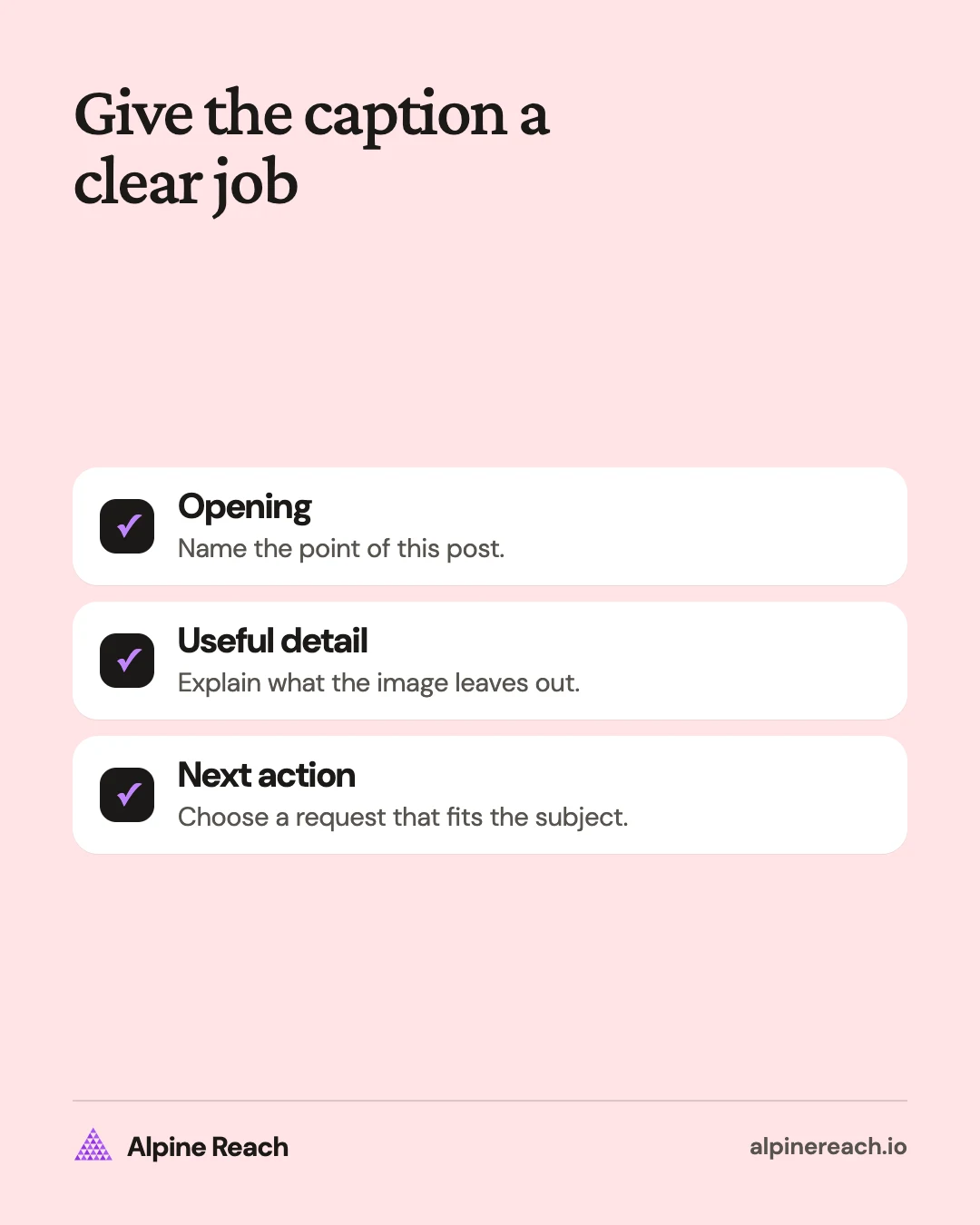
A useful Instagram caption names the point of the post, adds the detail the image cannot explain, and asks for a relevant next step. Use the formulas and 36 examples below to write for creators, freelancers, and small businesses. Every example is hypothetical, so replace the details with facts you can support before posting.
Use a hook, useful detail, and a call to action
The hook is the opening line that tells someone why to read. The useful detail is the explanation, instruction, or offer. The call to action is what you ask the reader to do next, such as answer a question, keep a checklist, or ask about a service.
Try these adaptable formulas:
- Problem, adjustment, next action: “Your desk lamp keeps reflecting in your monitor. Move it beside the screen and check the reflection from your seat. Save this setup check.”
- Question, explanation, choice: “Not sure which notebook paper to choose? Dotted pages leave room for diagrams; lined pages give your notes structure. Which do you use most?”
- Offer, scope, next step: “Portfolio review appointments are open. The review covers project selection, order, and presentation. Send a message with your field and the kind of work you want.”
- Observation, process, invitation: “The first version felt crowded. I removed the decorative border so the instructions had more space. Which version is easier to read?”
These are writing structures, not platform rules. An announcement may need a direct opening rather than a curiosity gap. A useful tutorial may end without a request if the instruction itself is complete.
Captions that teach or answer a question
Use these when the post helps someone do something or choose between options. The captions in this and the following groups are drafts to adapt: publish one only if it is true of your work.
Teach a practical skill
- “Before you record, check what is behind you. A bright window can make the subject harder to see. Save this for your next filming session.”
- “Start your portfolio with work you want to do again. Use the description to explain the brief and your contribution. Which project would you put first?”
- “Choosing paper for a planner? Write on a sample before committing to a full notebook. Test the pens you already use.”
- “A product photo should answer a question. This angle shows the opening, the handle, and the texture. What detail would you want to see next?”
- “Check your tutorial at phone size before posting. If the labels are difficult to read, shorten them or give them more space. Keep this check beside your export list.”
Answer a buying or process question
- “What belongs in a design brief? Describe the audience, the intended use, and the deliverable. That gives the designer something concrete to respond to.”
- “Wondering what a website review includes? This service checks navigation, page clarity, and the route to an inquiry. Message me if you need help deciding whether it fits.”
- “Which file should you send for printing? Ask your printer for its specifications before exporting. Keep the reply with your project files.”
- “Not sure whether the template fits your workflow? The preview shows the pages included. Tell me which task you need it to handle.”
- “How do you choose a gift notebook? Start with how the person uses paper: lists, sketches, or longer notes. Which sounds most like them?”
Captions that explain your work or invite a response
Use these for your own process, materials, or decisions. Replace any description that does not match the image. A specific detail is more useful than a broad statement about caring deeply about quality.
Explain a decision behind the work
- “The sketch started with a full border. I simplified it so the lettering had more room. Swipe to compare the drafts.”
- “This paper sample stayed on my desk during planning. I wanted to see it in the light where the finished piece would be used. Here is the detail that changed my choice.”
- “The quiet part of this project was naming the files. Clear labels made the final handoff easier to follow. How do you organize finished work?”
- “This is the prototype, including the part I am revising. The opening needs more room before the next version. What would you test first?”
- “The final photo leaves out the setup. Here is the light, background, and support holding everything in place. Save it if you want to try a similar arrangement.”
Ask a question people can answer
- “Would you use this page for meeting notes or project planning? Tell me the task, and I can explain how I would adapt it.”
- “Which detail needs a closer look: the clasp or the inside pocket? I am planning the next product walkthrough.”
- “What part of recording a tutorial slows you down: planning, filming, or editing? Reply with the stage you want help with.”
- “Would a checklist or a worked example make this easier to use? I am choosing the format for the follow-up.”
- “What question would you ask before booking a portfolio review? I want the service description to answer it clearly.”
Short captions for a quick post
- “New in the shop: the dotted planner.”
- “Before and after the edit. Swipe.”
- “Today's setup, in one photo.”
- “Booking opens Monday. Details in bio.”
- “One tip: shoot near a window.”
- “Your questions, answered on slide 2.”
Use a short caption when the image already explains the subject.
Captions that introduce an offer or share an update
A sales caption needs enough information to assess the offer. Fill in accurate dates, prices, inclusions, and availability where relevant. Do not invent a deadline or imply limited availability unless that limit is real.
Introduce a product or service
- “The dotted planner is ready to order. The listing shows the page layout, paper, and binding. Check those details before choosing your copy.”
- “Need a clearer portfolio introduction? My review covers the opening page and project order. Send a message describing the kind of work you want to present.”
- “The workshop covers preparing a brief and organizing reference material. Bring a project you are allowed to discuss. See the booking page for the date and full details.”
- “This print is available in the sizes listed on the product page. Compare the measurements with your wall before ordering. Ask if you need a closer view of the paper.”
- “Looking for a starting point for your weekly plan? This download includes a planning page and a review page. The preview shows exactly what you receive.”
Share a clear update
- “The shop is taking a short break for studio maintenance. The notice lists the closing date and when orders resume. Please check it before planning a pickup.”
- “The next workshop topic is product photography using window light. Registration details are on the booking page. Tell me what you would like to practice.”
- “A new care guide is included with this collection. It explains cleaning and storage for these materials. Keep it with the item for reference.”
- “I am revising the template instructions. If a step felt unclear, tell me which one so I can improve the explanation.”
- “The updated portfolio is ready to view. Each project now includes the brief and my role. Start with the project closest to what you need.”
Choose caption length and hashtags using current guidance
As checked on November 10, 2026, Meta's publishing reference sets the caption field at a maximum of 2,200 characters. It is API documentation, not an ideal writing length. 1 Use a short caption for a clear update and more space when an explanation needs it. On a carousel, Instagram lets you choose Single caption for the whole post or Multiple captions to add a caption for each photo or video.2
As of November 2026, Instagram's hashtag help page allows up to 5 tags per post, and says they can go in the caption or comments. Instagram announced the move to 5 in December 2025.34 Choose tags that describe the actual subject. Treat the limit as a ceiling rather than a requirement to fill every slot.
Older guides and the developer reference still mention 30 hashtags; plan around the app's 5.1
Keep essential information in the caption itself. Instagram lets you replace automatic image alt text with your own description for screen readers; that description has a different job. 5 Explain the image and meaningful visual details there, rather than pasting an unrelated sales message.
Read your draft aloud, remove any claim you cannot support, and check that the next action is possible. For carousel structure, see how to make an Instagram carousel. For a subject to write about, use what to post on Instagram.
FAQ
Can I copy an example that says “I”?
Only if it truthfully describes your work. These are drafts to adapt; replace the process, offer, or experience with something you can support.
Does every caption need a question?
No. Use a question when you want a specific answer. An instruction or clear announcement can stand on its own without an unrelated request.
How do I avoid sounding generic?
Name the actual object, choice, task, or service scope. Replace broad claims about quality with a concrete detail the reader can understand or check.
General information. Platform features, limits and benchmarks change: check the cited page before you rely on a number.
References
- Meta for Developers. IG User Media. n.d. View source (accessed Nov 10, 2026).
- Instagram. Share a post with multiple photos or videos on Instagram. n.d. View source (accessed Nov 10, 2026).
- Instagram Help Center. Use hashtags on Instagram. n.d. View source (accessed Nov 10, 2026).
- Digital Trends. Instagram now limits you to five hashtags per post. 2025. View source (accessed Nov 10, 2026).
- Instagram Help Center. Edit the alternative text for a post on Instagram. n.d. View source (accessed Nov 10, 2026).