

In short
- LinkedIn recommends industry information, the human side of work, and professional learning.
- LinkedIn encourages Pages to ask relevant questions and respond to answers.
- LinkedIn encourages creators to share their creative process and work.
In this article
Post something that helps a professional understand a task, inspect your thinking, or discuss a work problem. The ideas below cover expertise, proof of work, opinions, behind the scenes, and career development, with an example for each.
Choose the goal before the idea
Start with the question your reader needs answered. LinkedIn's Page posting guide recommends industry information, the human side of work, and professional learning as content themes. That guidance is written for organizations; individuals can adapt the themes to their own expertise.1
LinkedIn's guide to writing posts also lists career tips and work lessons, comments on industry news and trends, professional news, behind-the-scenes looks at your work, and company news as topics widely sought on LinkedIn.2
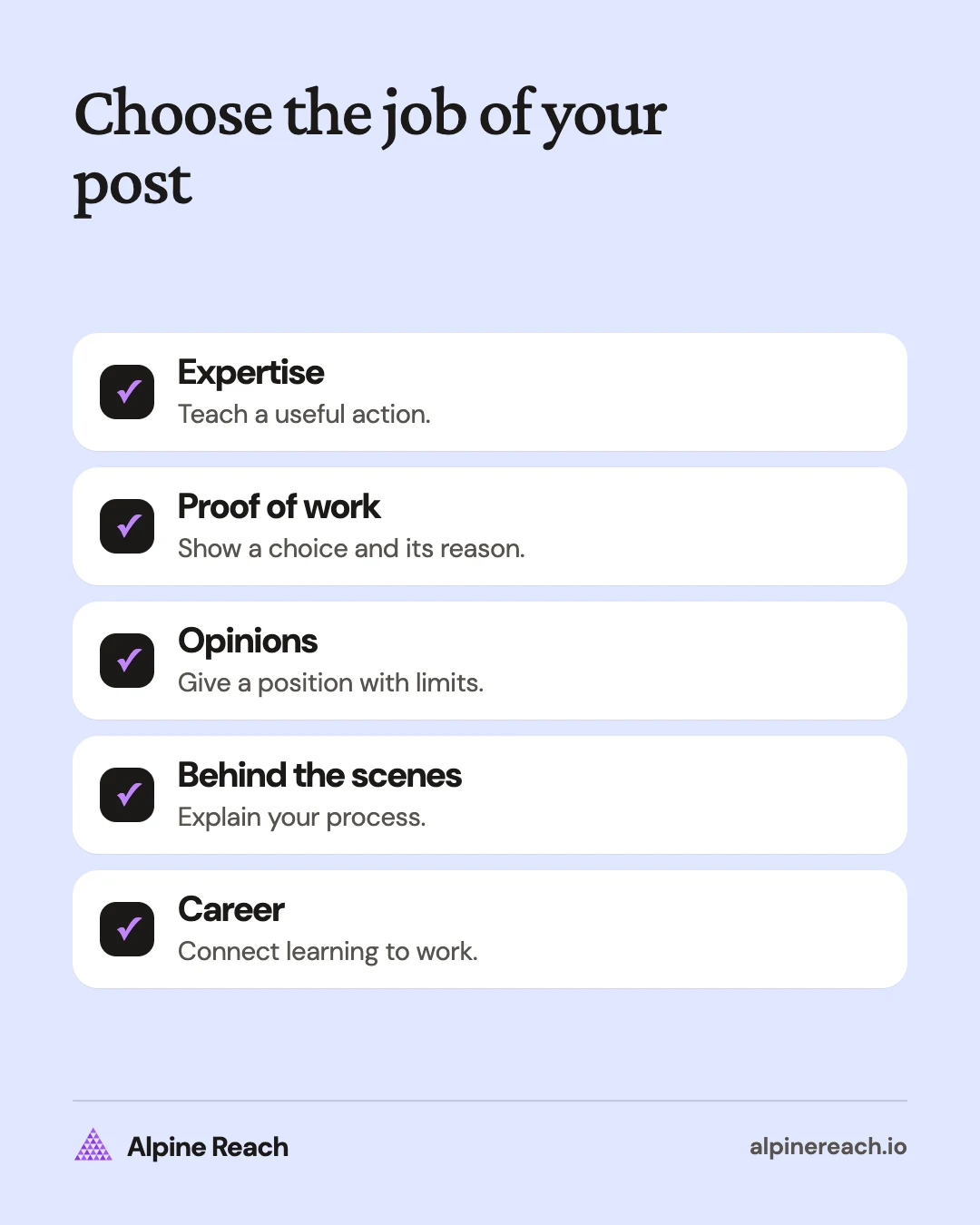
Use the categories below to choose your next topic. Each example is a made-up writing prompt. Replace it with a true detail from your own work.
| Your immediate goal | Start with |
|---|---|
| Explain what you know | Expertise |
| Show how you think | Proof of work |
| Invite a considered response | Opinions |
| Make your process understandable | Behind the scenes |
| Connect around professional development | Career |
If you are deciding what to post on LinkedIn for the first time, choose a task you can explain without research into somebody else's experience. A small useful observation is enough. You do not need an achievement announcement to justify posting.
Expertise: help someone do the work
Teach a narrow action, explain a distinction, or help the reader make a decision. Keep enough detail that someone could try the advice without asking what you mean.
- Answer a recurring question. Example: “A useful creative brief starts by naming the reader and the decision the content should support.”
- Explain a confusing term. Example: “An editorial calendar records planned publication; an idea bank holds possibilities that have not been assigned.”
- Share a reusable checklist. Example: “Before handing off a report, label the source, reporting period, and unresolved assumptions.”
- Teach a small workflow. Example: “To prepare an interview, turn each research gap into a question the guest can answer from experience.”
- Compare approaches with a decision rule. Example: “Use a shared document when the decision needs written context; use a live discussion when the disagreement is still unclear.”
Make these posts specific to your role. A social media manager can explain how to review a caption. A founder can explain how to write a product decision note. A student can show how they approached a practice assignment without presenting themselves as an established expert.
Proof of work: show your reasoning
Use an artifact you are allowed to share, such as an original template, public practice project, or personal workflow. Explain what the reader should notice. Keep confidential information and third-party work out of view.
- Annotate a sample. Example: “In this invented landing-page outline, each section answers a different question someone might have before trying the product.”
- Explain an alternative you rejected. Example: “For this practice logo, I rejected the detailed sketch because it was difficult to recognize when reduced.”
- Show a revision. Example: “Here are draft and revised headings for a sample onboarding email, with the decision behind each change.”
- Share a blank tool. Example: “This empty project handoff template asks for the next action, its owner, and the information needed to complete it.”
- Walk through a self-directed exercise. Example: “For a sample budgeting exercise, I would separate entered figures from calculated totals before checking the file.”
These are demonstrations of thought, not performance claims. An attractive output alone leaves the reader to guess what you contributed. Add the constraint, your choice, and a reason someone might make a different choice.
Opinions: explain a position and its limits
Choose a question where you can give reasons. Distinguish your judgment from a reported fact, and link the original source whenever you discuss news or research.
- Question common advice. Example: “I would ask what decisions a dashboard supports before adding another chart.”
- Interpret an industry update. Example: “If a platform changes a reporting definition, I would check comparability before describing a trend.”
- Describe a tradeoff. Example: “A shorter approval process may be useful for routine posts, while a sensitive announcement needs a different review.”
- Explain what would change your mind. Example: “I prefer written project briefs, but I would change the process if teammates could not find the answers they need.”
- Ask about a decision. Example: “When feedback conflicts, how do you decide which comment addresses the project's actual goal?”
For Pages, LinkedIn specifically suggests asking followers about a relevant industry topic and responding to their insights. Use that as an invitation to discuss a real question, rather than a reason to add a question to every post.3
You may see the 4-1-1 rule in LinkedIn advice. LinkedIn's own version, written for Pages, suggests sharing four pieces of content written by others and one update from another source for every piece of your own content.3 Treat it as a reminder to share and discuss other people's work, not as a quota.
Behind the scenes: make the process visible
LinkedIn's creator guide encourages sharing the creative process, current work, and completed work. Adapt that advice to something you can show honestly and safely.4
- Show your preparation. Example: “Before recording a tutorial, I would list the actions a viewer needs to see on screen.”
- Explain your working setup. Example: “In this sample project board, research notes sit beside the question each note answers.”
- Describe a handoff. Example: “A useful editing handoff tells the next person what is settled and what still needs a decision.”
- Share an unfinished question. Example: “I am exploring how to explain this diagram without relying on color alone; which labels would help?”
- Explain how you prepare for review. Example: “Before a design critique, I would state the goal and the constraint so feedback has a shared reference.”
Show the part of the process that carries a lesson. A desk photograph can accompany that explanation, but the reader still needs to know what the setup helps you do.
Career: share useful professional learning
Connect a milestone or reflection to a skill, decision, or question. These prompts can work for someone changing roles, starting freelance work, or learning a new field.
- Explain a skill you are practicing. Example: “I am learning to write clearer project updates by separating decisions from background information.”
- Reflect on a course exercise. Example: “A practice presentation would let me test whether I can explain the recommendation before showing the supporting detail.”
- Share a question for newcomers. Example: “Before joining a project, ask how the team records decisions that happen outside meetings.”
- Describe what interests you in a role. Example: “I am interested in research roles where explaining uncertainty is part of the work.”
- Offer a professional reflection. Example: “For me, a useful definition of ownership would include making the next action clear when a task changes hands.”
If you announce a new role, a certification, or a finished project, add what prompted the change or what you learned from it, as LinkedIn's writing guide suggests.2
Keep personal details within the boundaries you want for a public professional conversation. You can explain what you are learning without sharing private circumstances.
Turn an idea into your next post
Pick a prompt, add a concrete example, and decide what someone should take away. Write the opening after the point is clear. This LinkedIn writing guide shows how to shape the opening, body, and close.
If an explanation needs a sequence of visuals, use the document carousel guide. If you need recurring themes, build them into a LinkedIn content strategy.
Save the questions that arrive in response. A useful follow-up answers something the first post left unclear, adds a missing condition, or demonstrates the same principle in another situation. That gives you a reason to revisit a topic without publishing the same advice again.
FAQ
What can I post if I have no big achievement?
Explain a task you understand, share a labeled practice example, or ask a specific question about a professional decision.
What should a freelancer post on LinkedIn?
Try a checklist, an original sample with annotations, or a decision rule that demonstrates how you approach the work.
Can LinkedIn posts be personal?
Choose personal details that support a professional reflection and fit your privacy boundaries. You can discuss learning without disclosing private circumstances.
General information. Platform features, limits and benchmarks change: check the cited page before you rely on a number.
References
- LinkedIn. The ultimate guide to LinkedIn Page posting. n.d. View source (accessed Nov 10, 2026).
- LinkedIn. How to Write an Engaging Post in Your LinkedIn Feed. 2024. View source (accessed Nov 10, 2026).
- LinkedIn. 15 Inspiring Content Ideas for Your LinkedIn Page. 2024. View source (accessed Nov 10, 2026).
- LinkedIn. LinkedIn for creators. n.d. View source (accessed Nov 10, 2026).