

In short
- Keep dates, platforms, copy, assets, and approval status in the calendar.
- Connect each planned post to a purpose and a measure of progress.
- Check publishing status: a dated draft can still need to enter the queue.
In this article
A useful content calendar example shows the actual topic, format, owner, deadline, and intended next step for each post. The weekly and monthly examples below are filled in so you can copy a layout and replace the ideas with your own.
What should a social media content calendar include?
A social media content calendar is a plan of upcoming posts organized by publish date and platform. At minimum, make the publishing date and time, platform, copy, asset, and link visible for each post. Hootsuite's calendar guide lists those as the minimum and adds status, owner, approval notes, and content pillars as workflow fields.1
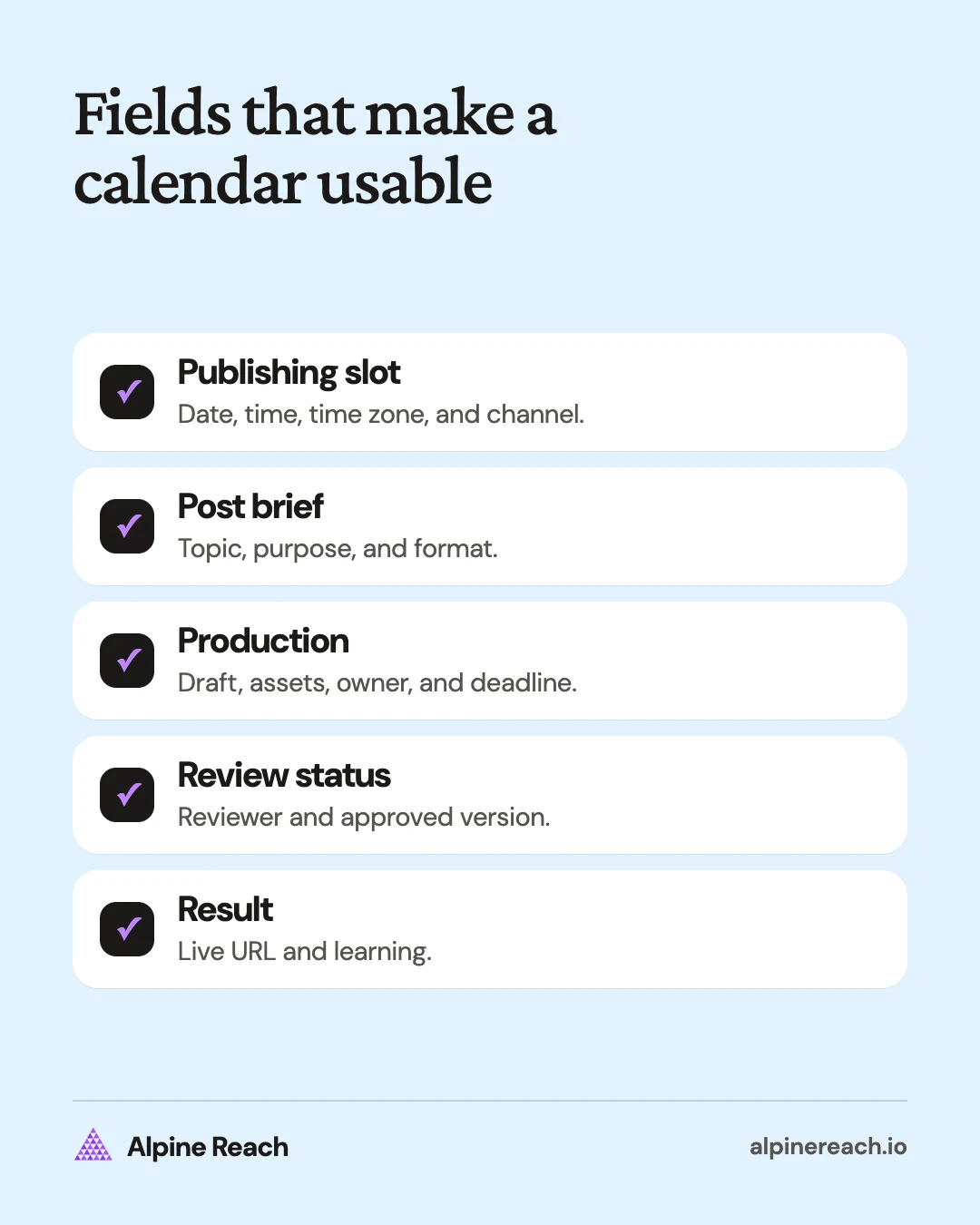
Use these fields in the full working calendar, even when a compact planning view hides some of them:
| Field | What to enter |
|---|---|
| Publishing date, time, and time zone | When this platform version should appear |
| Channel and format | Where it goes and what you must create |
| Pillar and specific topic | The recurring subject and this post's angle |
| Audience and purpose | Who needs it and what it helps them do |
| Draft and asset links | The current copy and finished creative files |
| Owner, reviewer, and production deadlines | Who does the work and when it must be ready |
| Status | Whether the exact version is approved or scheduled |
| Next step and destination | What you ask the reader to do and where they go |
| Published link and result | What actually went live and what you learned |
A content pillar is a recurring subject, such as equipment care or project preparation. It is different from a format, such as a video or text post. Include both so you can see what you are talking about and how you are presenting it.
The four calendars below are made-up examples, not posting quotas. Publishing times are left for you to choose and test. Before using a row, add a time zone and replace each draft record with a real link.
Example 1: A solo creator's weekly calendar
Say you make educational content about caring for houseplants. Your purpose this week is to answer beginner questions about watering, and your available work time supports a small batch of posts.
| Day | Channel and format | Pillar and finished topic | Owner and due date | Status and draft record | Intended next step |
|---|---|---|---|---|---|
| Monday | Instagram carousel | Watering: check the pot before adding water | Creator, previous Thursday | Approved; pot-check slides | Save the checklist |
| Wednesday | Instagram Reel | Watering: demonstrate the same check on a plant | Creator, Monday | Drafting; demonstration clip | Try the check on your plant |
| Friday | Instagram image with caption | Troubleshooting: explain what a drainage hole does | Creator, Wednesday | Idea; drainage explainer | Ask a watering question |
The calendar keeps a common subject while giving each post a different job. The slides explain a process, the video demonstrates it, and the final post invites questions. You can drop the Friday idea if the video needs more work.
Keep the question backlog next to the calendar. A response that raises a new issue can become a future brief after you verify the answer. Do not promise to answer everything immediately or make an unverified plant-care claim just to fill a slot.
Example 2: A small business's weekly calendar
Imagine a neighborhood bike repair shop preparing for weekend bookings. This calendar uses questions and service explanations rather than an invented customer story or a claim about repair outcomes.
| Day | Channel and format | Pillar and finished topic | Owner and due date | Status and draft record | Intended next step |
|---|---|---|---|---|---|
| Tuesday | Instagram Reel | Workshop process: what to bring to a repair appointment | Shop owner, previous Friday | Ready for review; arrival walkthrough | Read the appointment checklist |
| Thursday | Instagram carousel | Services: explain what the inspection appointment includes | Mechanic, Tuesday | Drafting; service scope slides | Check whether the scope fits |
| Saturday | Instagram Story | Availability: share confirmed opening hours and booking instructions | Shop owner, Friday | Awaiting confirmation; hours card | Open the booking page |
The availability post needs a final operational check. If hours or capacity change, update or pause it. The educational post may still be useful another week, while the availability card has a short shelf life.
Choose a measurement that matches each row. For the walkthrough, record questions about arrival. For the service explanation, look for interest in the relevant appointment. For the availability card, check the destination and record booking inquiries without assuming that every booking came from that post.
Example 3: A freelancer's LinkedIn calendar
Suppose you are a freelance editor who wants more conversations with founders preparing website copy. These are original example topics, not advice about a required LinkedIn frequency.
| Day | Channel and format | Pillar and finished topic | Owner and due date | Status and draft record | Intended next step |
|---|---|---|---|---|---|
| Monday | LinkedIn text | Clear writing: rewrite a fictional vague homepage sentence | Editor, previous Thursday | Approved; sentence comparison | Try the rewrite on your headline |
| Wednesday | LinkedIn document | Project preparation: a checklist before hiring an editor | Editor, Monday | Ready for review; preparation slides | Save the preparation list |
| Friday | LinkedIn text | Service fit: explain what a homepage edit covers | Editor, Wednesday | Drafting; scope explanation | Read the service details |
Keep the fictional sentence clearly labeled in the post. Do not imply it came from a customer's website. Put the answer in the post itself, even if you offer a fuller checklist elsewhere.
For this calendar, a relevant reply might be a founder asking how to prepare a draft. Record that separately from general reactions. Review whether your topics attract the people you intended to help before expanding the schedule. For drafting help, see how to write a LinkedIn post.
Example 4: A monthly calendar for a launch
Say a solo founder is introducing a printable meal-planning workbook. Use a month view to sequence the explanation, demonstration, release, and follow-up. This plan has specific posts within each week, rather than a vague instruction to "promote the launch."
| Week | Tuesday: Instagram carousel | Thursday: Instagram Reel | Owner and production deadline | Status and draft records | Intended next step |
|---|---|---|---|---|---|
| Opening week | Show the decisions a weekly meal plan needs | Demonstrate a blank planning page | Founder, previous Friday | Drafting; decision slides and blank-page demo | Try the planning process |
| Preparation week | Explain who the workbook is designed for | Fill a page with a fictional household's plan | Founder, previous Friday | Outlined; fit guide and sample plan | Preview the sample |
| Release week | Explain what is included and how delivery works | Demonstrate how to use the purchased file | Founder, previous Friday | Awaiting product check; release slides and download demo | Read the product details |
| Follow-up week | Answer a verified usage question | Demonstrate a different way to arrange the week | Founder, previous Friday | Reserved; question brief and alternate layout | Use the workbook or ask for help |
These rows are the month view. Create a separate record for each Tuesday and Thursday post so it can have its own asset, approval, and published URL. If you do not yet have a genuine usage question, explain a known instruction instead of inventing feedback.
Connect each row to its purpose. Sprout Social's calendar template explicitly includes alignment to a key performance indicator, meaning a measure of progress, and organization by campaign categories.2 For the launch example, keep product-page visits, purchase questions, and completed orders distinct. A visit is not an order.
How to adapt a calendar without copying the workload
Pick the closest example, then replace the audience, offer, questions, and production tasks. Keep only the formats you can finish and the fields you will maintain. Use the content plan template if you need to decide what the month should cover first.
Do a rehearsal with the next post. Open the draft and asset, check the destination, and confirm who approves and publishes. If you cannot find those items, improve the row before planning more weeks.
Keep planning separate from publishing. Buffer's draft documentation says that assigning a draft a date does not make it publish automatically; it must move into the queue first.3 Whatever tool you use, verify what the status means rather than assuming a dated card will go live.
If your calendar also covers a blog or newsletter, add them as channels in the same table, with their own owners and deadlines.
At review time, record why a post moved. "Asset unavailable" calls for a production change. "Offer no longer available" calls for a content change. An empty day can be a deliberate choice when the alternative is an unfinished or outdated post.
For a complete setup process, follow how to create a social media content calendar. Use the examples here as working layouts you can simplify, not as schedules you must match.
FAQ
Which example should I use if I post on more than one channel?
Start with the example closest to your workload and create a row for each channel version. Give those versions their own copy, asset, and publishing status.
How do I use the launch calendar if my release is delayed?
Move the release posts and recheck all product details and destinations. Keep useful preparation posts only when they still make sense without the original release date.
Should an empty day be treated as a missing post?
Only if you intended to publish that day. Keep deliberate gaps for production, replies, or rest, and distinguish them from posts that missed a committed deadline.
General information. Platform features, limits and benchmarks change: check the cited page before you rely on a number.
References
- Hootsuite. How to create a social media calendar in 2026. 2026. View source (accessed Nov 10, 2026).
- Sprout Social. Your downloadable social media calendar template for 2026. n.d. View source (accessed Nov 10, 2026).
- Buffer Help Center. Saving and scheduling draft posts. n.d. View source (accessed Nov 10, 2026).