

In short
- Content pillars are recurring themes you return to across your posts.
- Use audience questions to give each theme a specific purpose.
- Review patterns across comparable posts before changing your content mix.
In this article
Content pillars are the recurring themes you return to when planning social media posts. Sprout Social describes them as the key themes or content types you consistently share.1 Use the examples below to choose subjects your audience needs, then give each subject a clear role in your plan.
What a content pillar is (and is not)
For this planning method, a pillar names a subject you can keep discussing. The goal describes what a particular post should help someone do. The format describes how you present it.
| Planning choice | Coffee-shop example |
|---|---|
| Pillar | Ordering a drink you will enjoy |
| Audience question | How do I choose between the drinks on this menu? |
| Post goal | Help someone make a choice |
| Format | A visual comparison or narrated demonstration |
| Specific post | Explain the differences between the shop's current iced drinks |
“Video” does not tell you what to discuss. “Education” describes a broad purpose but may still leave you searching for a topic. A name such as “understanding our menu” gives you a more useful boundary.
Other guides use content types as pillars. Sprout Social's example set for a food and beverage brand is educational content, community-focused posts, behind-the-scenes features, episodic series, and memes and skits.1 Those labels can be useful as a content-mix check. Here, subject-based pillars help you decide what belongs on your particular account.
A pillar also differs from an SEO pillar page. An SEO pillar page is a broad website resource connected to narrower articles. This article uses “pillar” to mean a recurring social media subject, not a required page structure.
Content pillar examples for different accounts
These are made-up account plans. Each set contains recurring subjects and starter posts you could adapt to the account's actual expertise and offer.
A freelance designer helping small teams
| Pillar | Audience need | Starter post |
|---|---|---|
| Preparing a design project | Know what to send before work starts | Walk through a sample brief with invented details |
| Making design decisions | Understand the reasoning behind a choice | Compare type treatments in a self-initiated poster |
| Using finished files | Know what to do after handoff | Explain the purpose of the files in a sample delivery folder |
| Working together | Understand the engagement | Show how feedback is collected and organized |
The distinction between design decisions and working together matters. The first explains the craft; the second explains the collaboration. If you cannot tell which question a draft answers, sharpen the draft before adding another pillar.
A neighborhood coffee shop
| Pillar | Audience need | Starter post |
|---|---|---|
| Understanding the menu | Choose a drink | Compare the shop's current iced options |
| Brewing at home | Use the beans after purchase | Demonstrate the shop's own preparation instructions |
| Behind the counter | Understand the work | Explain a choice in the opening routine |
| Visiting the shop | Plan a visit | Show the entrance and where to collect an order |
A seasonal drink launch can fit under understanding the menu. You do not need a separate pillar for every promotion. Keep event and visiting details current rather than treating the pillar list as permanent copy.
A B2B consultant helping growing teams
| Pillar | Audience need | Starter post |
|---|---|---|
| Diagnosing workflow problems | Identify what needs attention | Explain an intake question using an invented team scenario |
| Making operating decisions | Compare possible approaches | Show how you would evaluate a handoff process |
| Implementing a change | Understand the next action | Share an example rollout checklist |
| Evaluating the engagement | Understand scope and fit | Explain the information needed before an initial assessment |
Keep these subjects tied to decisions your buyer can make. Broad labels such as “leadership” or “innovation” need narrower questions before they become useful post ideas.
A fitness coach helping beginners get organized
| Pillar | Audience need | Starter post |
|---|---|---|
| Understanding a session | Know what an appointment involves | Show the layout of an introductory session |
| Planning a routine | Prepare for the practical commitment | Share a blank schedule-planning worksheet |
| Preparing for coaching | Know what to ask | Explain what to discuss before choosing a program |
| Working with the coach | Understand boundaries and support | Describe how check-ins and scheduling work |
These are content-planning examples, not exercise prescriptions. Use the coach's actual qualifications and scope when developing a post. There is no need to invent member stories or physical results to fill a pillar.
Choose yours from questions you can answer
Begin with the audience decision, then test whether the subject is specific enough to guide a post. Search tools can supply inputs: TikTok's Creator Search Insights surfaces topics people search for and offers a filter for content gaps.2 A topic still needs to fit your audience and expertise.
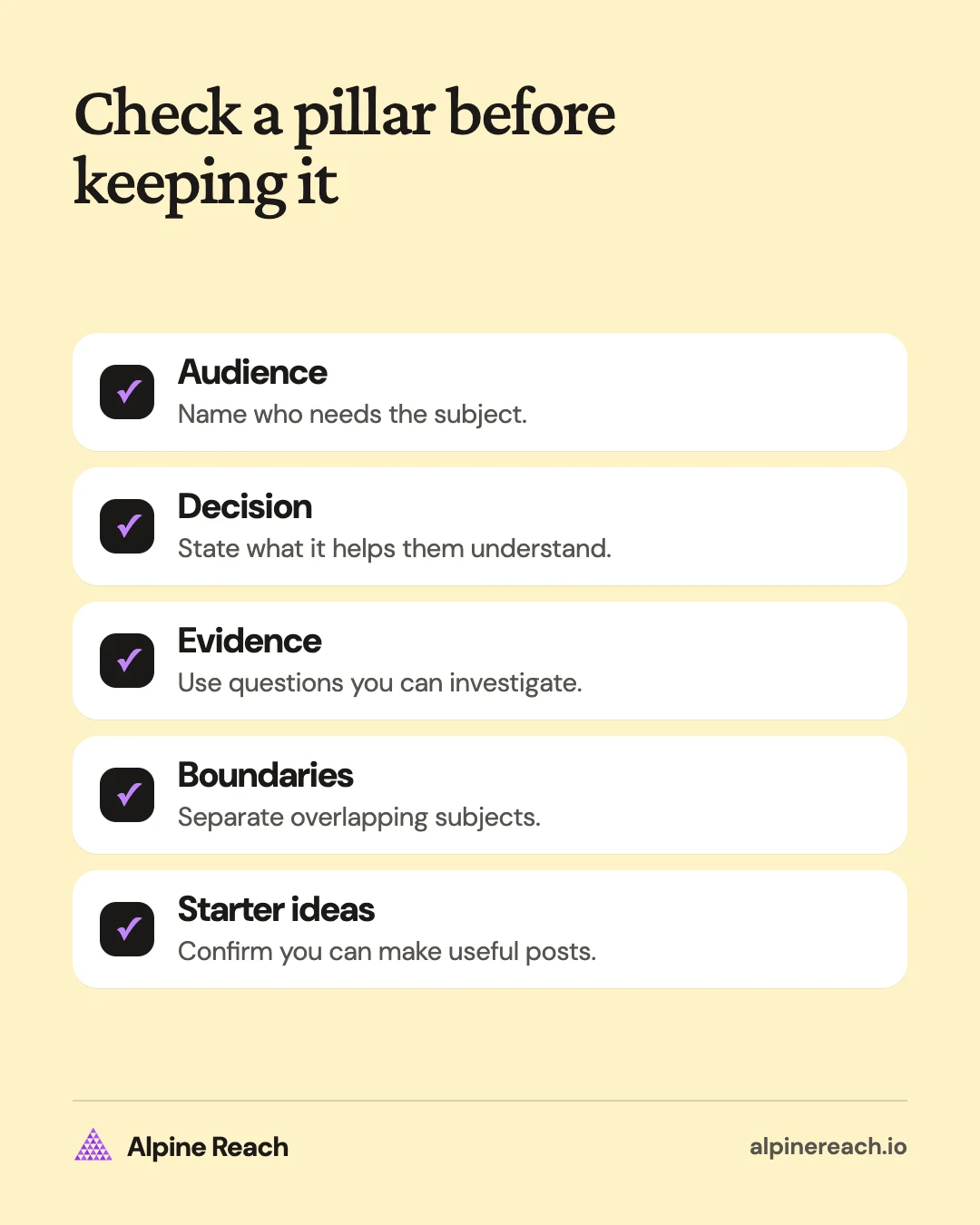
- Name the audience. “Local people buying coffee beans for home” gives you a clearer starting point than “everyone who likes coffee.”
- Collect their questions. Use inquiries, comments, and public searches. Remove private details before sharing examples.
- Group related decisions. Put choosing a product, using it, and planning a visit into distinct groups when they need different explanations.
- Write a boundary for each group. State what belongs there and what would be outside the account's useful scope.
- Draft starter ideas. If every idea sounds like the same post, narrow the question or combine overlapping pillars.
Use this sentence to test a pillar: “I help this audience understand this subject so they can make this decision.” If you cannot finish it clearly, revise the label.
Sprout Social suggests defining around three to five core themes and warns that too many pillars can dilute your message.1 Each example above uses four.
For a designer: “I help small teams prepare a brief so they can start a design project with useful inputs.” That subject can support examples, checklists, explanations, and demonstrations. It does not require a new offer every time you post.
Use a sample mix without treating it as a rule
Balance the plan around current audience needs and what you can produce well. The table below splits 12 posts for the freelance designer above. It is one possible split, not a required ratio.
| Pillar | Example posts in this plan | Example mix of angles |
|---|---|---|
| Preparing a design project | 4 | Brief example, question list, input checklist, scope clarification |
| Making design decisions | 3 | Type comparison, layout explanation, color-choice walkthrough |
| Using finished files | 3 | Folder tour, export explanation, handoff checklist |
| Working together | 2 | Feedback process, engagement overview |
| Total | 12 | An illustrative planning batch |
This example gives extra space to project preparation because that is the imagined account's current priority. If people already understand preparation but keep asking about deliverables, shift attention to using finished files.
Do not force equal amounts of content into every pillar. Also avoid treating every post as a sales post. A product explanation can help a buyer, while a process explanation can help someone decide whether your way of working fits.
Choose the batch size and publishing pace separately. Move selected ideas into your social media content calendar only when you know what each post will show and who will make it.
Review the mix and refine the subjects
YouTube's content-planning guidance recommends reviewing groups over a shared period and checking for individual videos that distort the average.3 Apply that comparison habit when you assess your own pillar labels.
Tag the posts, then compare the response that matters for each purpose. For a buying question, look at relevant inquiries. For an explanation, examine the follow-up questions and signs that people understood it. Use the measures your account actually provides.
If a pillar seems weak, inspect its individual posts. A vague opening, an unclear demonstration, or the wrong example can hide a useful subject. Test a clearer version before deciding the subject has no value.
Combine pillars when they repeatedly answer the same question. Split a pillar when it contains distinct audience needs that require different planning decisions. Keep an ongoing question list so the labels reflect what people need now.
When you need the next specific post, use the content-ideas guide or the small-business idea list. When a useful explanation deserves another format, follow the repurposing workflow.
FAQ
Can I use the same pillars on Instagram and LinkedIn?
Use the same subject when the audience need overlaps. Change the angle and format for the people you address on each platform. A topic can stay consistent while the examples differ.
How do I handle a post that belongs to multiple pillars?
Assign a primary pillar based on the question the post mainly answers. Add a secondary label only if it helps your planning. The labels should make decisions easier.
When should I replace a pillar?
Reconsider a pillar when the audience, offer, or questions you can answer have changed. Before replacing it for weak results, check whether the posts were clear and whether you tested more than the same opening repeatedly.
General information. Platform features, limits and benchmarks change: check the cited page before you rely on a number.
References
- Sprout Social. What are social media content pillars? (plus examples to get you started). 2026. View source (accessed Nov 10, 2026).
- TikTok. Get inspired with Creator Search Insights. 2024. View source (accessed Nov 10, 2026).
- YouTube. Tips to learn what content to create. n.d. View source (accessed Nov 10, 2026).