

In short
- Use audience questions and search topics to find an idea worth answering.
- Review patterns across your own posts before choosing what to repeat.
- Organize ideas into recurring topics and adapt useful material into fresh formats.
In this article
Useful content ideas for social media start with a question your audience wants answered, something you can show, and a reason to post it now. Build an idea bank from audience conversations, your own results, and relevant accounts, then turn those inputs into repeatable topics and formats.
Start with a real audience question
Write down the questions people ask before, during, and after using what you offer. Keep their wording: “What file do you need from me?” is a clearer starting point than “educate prospects.” If you are starting from zero, collect questions from public discussions, search suggestions, and conversations you have permission to use.
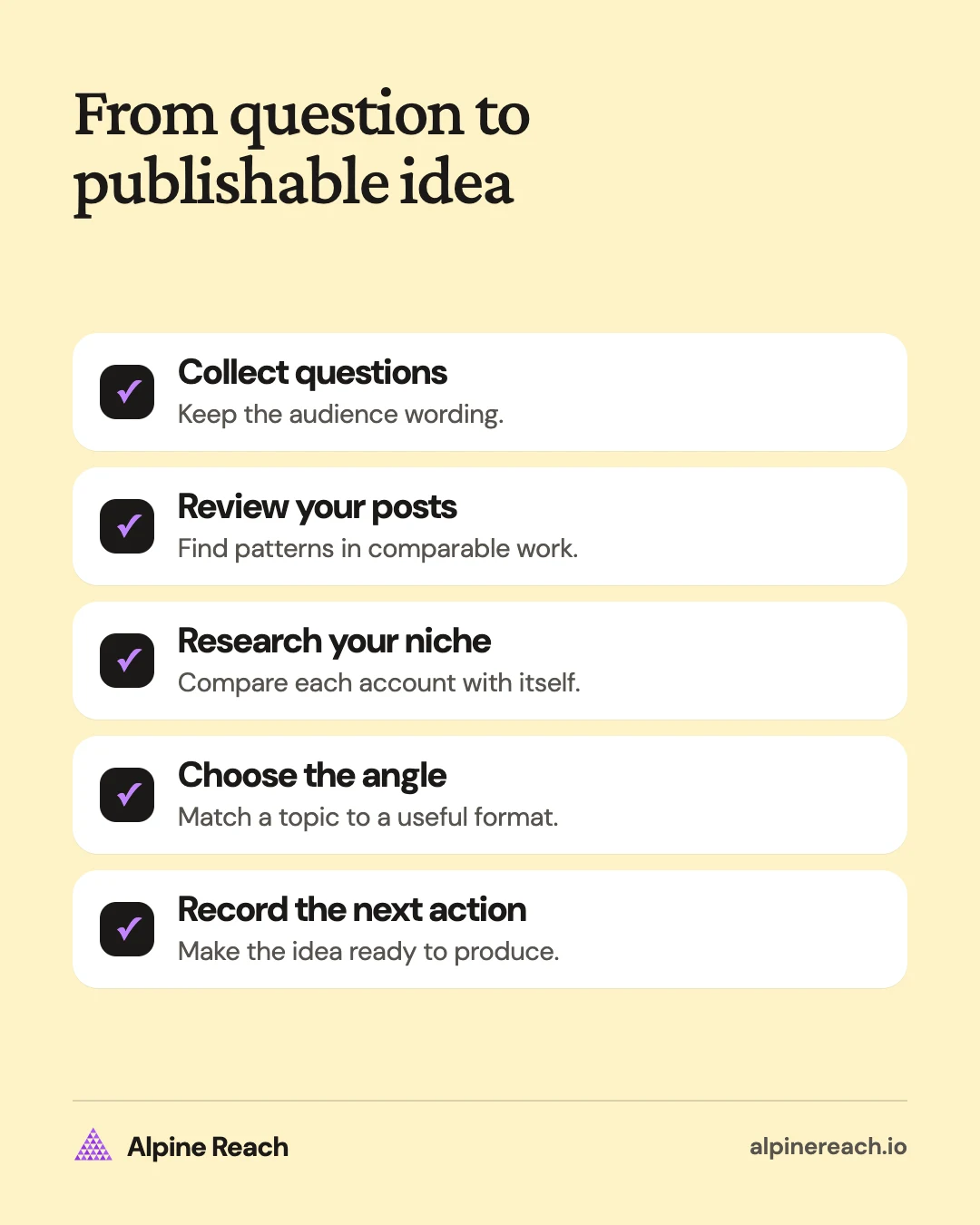
Sort questions by the decision behind them:
- Getting started: What do I need before I begin?
- Choosing: Which option fits my situation?
- Doing: How do I complete this task?
- Troubleshooting: Why did this happen, and what can I check?
- Buying: What is included, and what happens next?
For a freelance photographer, “What should I wear?” can become a preparation checklist. For a small ceramics brand, “Can this go in the dishwasher?” can become a product-care explanation based on its actual instructions.
TikTok's Creator Search Insights surfaces search topics and includes a content-gap filter for topics with demand but relatively few videos.1 If the tool is available to you, use it to find a question in your subject area. Treat a suggested topic as an input to investigate, not proof that you should make it.
Keep a source note beside each idea. “Question from a sales email, identifying details removed” is more useful later than a caption fragment with no context. Do not publish a private message just because it supplied the idea.
Use your own posts to decide what to repeat
Look for patterns across comparable posts. YouTube's creator guidance recommends grouping content and examining topics, titles, and viewing patterns; it also warns that a single popular video can skew a group's average.2 Apply that review habit to whichever account you manage. YouTube's guidance also suggests building a repeatable format rather than chasing every trend, noting that “the audience for a trend might not be the same as your existing fanbase.”2
Choose the outcome before you compare. If you want useful conversations, examine relevant replies and questions. If you want people to use a tutorial, review saves where available and feedback about trying it. If you want inquiries, record messages that actually concern the service.
Keep platform labels separate. A view, a save, and an inquiry describe different actions. Do not add them into a single success score unless you can explain what that score means.
For each promising post, write:
- The question it answered.
- The opening line or first visual.
- The format and level of detail.
- The response that mattered to your goal.
- What you would test in a follow-up.
If a design tutorial prompted questions about exporting files, the next idea could answer those questions. Repeating the subject with a clearer demonstration is a useful experiment. Repeating only the headline tells you less.
No posting history yet? Start with your audience-question list. Label your choices as hypotheses and build a baseline from the posts you publish.
Research your niche against each account's usual results
A post with a large public view count is worth investigating in context. Compare it with the same account's nearby posts in a similar format, rather than comparing every creator with the largest account you can find.
Use the middle result, or median, of a comparable set as a rough baseline. An unusually strong post is one that exceeds that account's typical result on the same visible measure. This is a research method, not a platform ranking rule.
Record the post's age and whether it appears to be part of a promotion or collaboration. Public information may not reveal paid distribution, impressions, saves, or sales. If a measure is unavailable, leave it unknown.
Then ask what you can learn without copying:
| What you notice | What to investigate | An original idea to test |
|---|---|---|
| A comparison stands out | Did it answer a difficult choice? | Compare options from your own workflow |
| A process video stands out | Did it reveal a hidden step? | Show a decision behind your own work |
| A correction starts discussion | What assumption confused people? | Explain the limitation with your own example |
| A recurring format draws questions | Which question remains unanswered? | Create a follow-up for your audience |
Save a link and your interpretation. “This might work because it shows the final result first” is a testable hypothesis. “This format always works” is not a conclusion the public counts support.
Organize topics, then choose formats
Content pillars are recurring themes that organize what you discuss; Sprout Social describes them as the key themes or content types you consistently share.3 For planning, use subject-based names that tell you what belongs in each group.
A home-organization creator might use “small-space storage,” “daily reset routines,” and “choosing organizing supplies.” A freelancer might use “preparing a project,” “design decisions,” and “working together.”
The format describes how you deliver the topic. “Short video” is a format. “How to prepare your design brief” is a topic. The same topic could become a checklist, a narrated screen recording, or a text explanation.
Use these idea types as prompts. Every example below is hypothetical, including the small brands and their products.
| Idea type | Creator example | Freelancer example | Small-brand example |
|---|---|---|---|
| Answer a question | Explain how you choose a filming spot | Explain what belongs in a project brief | Show how to read a candle's care label |
| Demonstrate a task | Show your camera setup | Record a layout adjustment | Demonstrate assembling a desk organizer |
| Compare choices | Compare recording locations | Explain logo-file options | Compare mug shapes for different uses |
| Explain a decision | Show why you changed an introduction | Explain a typeface choice | Explain a packaging-material choice |
| Show a process | Share your outline-to-script workflow | Walk through a self-initiated sketch | Show an order-packing routine |
| Offer a checklist | List what you check before filming | Share a handoff checklist | Share a gift-order checklist |
| State a useful limit | Explain when your setup is unsuitable | Explain what a project scope excludes | Explain where a product should not be used |
| Invite a specific answer | Ask which editing step is confusing | Ask which brief question needs an example | Ask what care instruction needs explaining |
| Correct a misconception | Explain a filming myth you used to believe | Correct a common belief about logo files | Correct a care myth about your product |
| Run a quick poll | Ask viewers to pick between two thumbnails | Ask which of two layouts reads faster | Ask which of two mug glazes to restock |
| Adapt a trend | Use a current format to show a real editing step | Use a current format to show a brief before and after | Use a current format to show an order being packed |
For a fuller set of topic groups, use these content pillar examples. If you need a post you can make today, choose from the small-business post ideas or the format-based TikTok ideas.
Repurpose a useful idea without repeating the same post
Content repurposing means reusing existing material in a new format, such as turning part of an article into a visual explanation.4 Start with something accurate and useful, then choose the part that deserves its own post.
Say you wrote a guide to preparing a freelance design brief. Adapt the central decision into a LinkedIn text post, the preparation steps into an Instagram carousel, and a common mistake into a short demonstration. Each version should answer a complete question.
Change the opening for the audience and medium. A reader needs a clear first sentence. A video viewer needs a visible task or result. A sequence of slides needs an order that makes sense as someone swipes.
Preserve caveats and sources when you shorten material. If the original advice applies only to a specific situation, that boundary belongs in the new version too. Use the content repurposing workflow for a worked example across formats.
Keep an idea bank you can actually use
An idea bank needs enough context to make the next action obvious. Use a note, spreadsheet, or existing planning tool with these fields:
| Audience question | Evidence or input | Angle | Format | Next action |
|---|---|---|---|---|
| What goes in a design brief? | Repeated prospect question | Show a sample brief with invented details | Carousel | Draft the example |
| Why does a mug feel awkward to hold? | Product-design topic to investigate | Show how handle choices differ | Video | Film your own samples |
| How do I choose a filming spot? | Follow-up to a tutorial | Compare your available spaces | Text and photos | Collect reference shots |
Choose the idea with a clear audience need, evidence you can use, and a production task you can finish. Move that idea into your social media content calendar, then return to the bank when new questions arrive.
After publishing, add what you learned. Keep useful questions even when a post receives little attention. The topic, opening, format, and timing are separate things to examine before deciding what to make next.
FAQ
What should I post if I have no audience yet?
Pick a specific person you want to help and answer a question they ask before buying, hiring, or starting. Use a demonstration you can make yourself, then collect the questions it prompts.
Should I copy an idea that performed well for another account?
Study the question and presentation, then make your own example. A popular post can suggest an angle to test; it cannot tell you how your audience will respond.
Do I need a different topic for every platform?
You can reuse the same topic when the audience need overlaps. Rewrite the opening, choose a suitable format, and make each post understandable without the original.
General information. Platform features, limits and benchmarks change: check the cited page before you rely on a number.
References
- TikTok. Get inspired with Creator Search Insights. 2024. View source (accessed Nov 10, 2026).
- YouTube. Tips to learn what content to create. n.d. View source (accessed Nov 10, 2026).
- Sprout Social. What are social media content pillars? (plus examples to get you started). 2026. View source (accessed Nov 10, 2026).
- Search Engine Land. What is repurposing content? 2026. View source (accessed Nov 10, 2026).