
In short
- Choose faceless ideas from material you can comfortably show, such as physical work, demonstration files, or your own photos.
- Match the format to your equipment, preparation time, editing skills, and willingness to use your voice.
- Try two or three formats for a few weeks, then keep a sustainable pair that provides a useful explanation.
In this article
For TikTok content ideas without showing your face, start with your hands at work, a screen recording, your own photos, or the space around you. Choose something you can show clearly and make again without an elaborate shoot. The ideas below help you match that choice to your equipment, time, and comfort on camera.
Start with what you can show
Decide what you are comfortable making public before choosing a format. Use this starting point to narrow the options, then look for a specific idea you could produce during an ordinary working week.
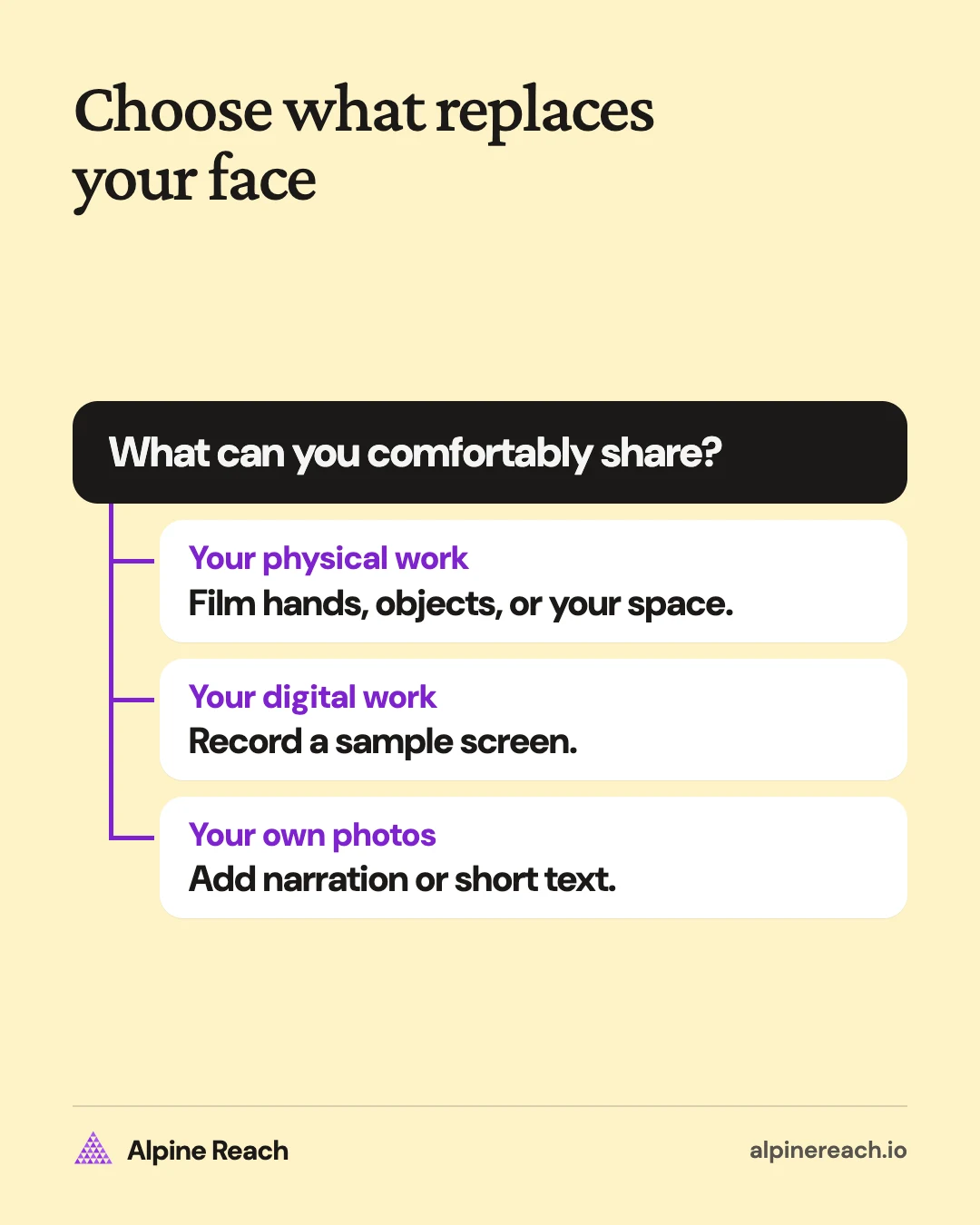
Check more than the main subject. Mirrors, glossy packaging, windows, and screens deserve a look before recording. For digital work, use demonstration files, close private messages, and turn off notifications. Decide whether your hands and voice can appear, too.
Keep this selection about what you can comfortably film. For broader subject planning, use the content pillar examples.
Film physical work or your surroundings
Use a camera angle that makes the action understandable while keeping you outside the shot. Test the framing before doing work you cannot easily repeat.
Hands and process
- Make a seam sample. Film your hands joining scraps of fabric, then show the stitching close up.
- Fold a dumpling. Keep the camera on the dough and filling while you demonstrate your own folding method.
- Unbox a supply delivery. Show what arrives in a seed-packet order and where each item will be used. Cover shipping labels.
- Route a desk cable. Film the cable slipping loose, attach a clamp, and show how it sits afterward.
Needs: A phone, a stable support, and enough light to see the detail. Allow setup time plus a short editing session to remove pauses. You need steady framing and the skill to perform the task clearly.
Suits: Craft and cooking creators, freelancers whose work involves physical materials, and small businesses making or using products.
Point of view and environment shots
Point of view means filming roughly what you see from your position. You can also keep the camera still and let the surroundings supply the subject.
- Show a plant shelf through the day. Record the same view as the light changes and describe what you observe.
- Tour a recording corner. Show the curtains, rug, and microphone position while explaining your actual setup choices.
- Trace a workshop route. Move from the materials shelf to the cutting area, keeping staff and private paperwork outside the frame.
Needs: A phone and a space you can film. Set aside a short walk-through, or return to the same position for a sequence. Practice smooth movement.
Suits: Home and lifestyle creators, independent professionals with a workspace, and studios or shops with useful physical details to show.
Make recordings, narration, or photo posts
Choose these options when you have digital work or original images available. Check that the important detail remains readable on a phone before adding more explanation.
Screen recordings and tutorials
- Repair a paragraph. Record yourself splitting a dense sample paragraph into shorter sections and read the revised version.
- Demonstrate a booking step. Use your own demo page to show how someone would select an appointment type, with invented details.
- Explain an image crop. Record how you choose the boundaries of your own landscape photograph and show what the crop leaves out.
Needs: A device with screen recording, a demonstration file or page, and basic trimming skills. Budget time to prepare a clean sample, then make a short recording. Enlarge the relevant area instead of showing an entire desktop.
Suits: Freelance writers, photographers, consultants, solo founders explaining a digital service, and educational creators.
Voiceover over your own footage or photos
Supporting footage, often called b-roll, supplies the pictures while your recorded narration carries the explanation.
- Explain a fabric choice. Narrate over your own close-ups of how different samples hang.
- Describe a location decision. Use your photographs to explain why you chose one spot for a personal outdoor shoot.
- Explain a prototype adjustment. Show your own prototype photos while describing a change to the handle or closure.
Needs: Original footage or photos, a quiet place to record, and a phone microphone to start. Allow a separate narration and editing session. Practice matching each spoken detail to the image that shows it.
Suits: Creators who enjoy explaining, freelancers with visual work, and product businesses with material or design decisions to discuss.
If you prefer typed narration, as of November 2026, TikTok documents text-to-speech for reading text on a video aloud.1 Add the text to your video, tap it, and select Text-to-speech.1 Listen back for pronunciation and check the AI labeling guidance below when using synthetic audio.
Text on screen and photo carousels
As of November 2026, TikTok supports posts containing multiple photos, and its posting instructions allow text to be added to photos.2 The same page documents adding text to videos.2
- Compare thread colors. Photograph each thread against the same fabric and label the choices.
- Show a packing layout. Make a photo sequence of your own weekend bag, with a short explanation of each compartment.
- Annotate a desk setup. Use your own photos to point out the lamp position, cable path, and clear working area.
Needs: Your own photos or footage, a camera, and concise writing. Allow time to select the images and edit the text. No spoken narration is needed for these suggested treatments; give each image a clear point and preview the reading order.
Suits: Creators who prefer writing, freelancers with a photo archive, and small businesses with products that benefit from close inspection.
Show changes or add a faceless reaction
Choose a comparison when viewers need to see a difference. Choose a reaction when another post supplies necessary context and you have something specific to add.
Data and before-and-after reveals
- Show an inventory count. Use your own count sheet to explain what was checked and when. Display the real units and period.
- Reveal a repaired hem. Film the same garment before and after your repair, keeping distance and lighting comparable.
- Compare draft lengths. Show the word count of your own sample paragraph before and after editing, alongside the actual wording.
Needs: Your own records or paired images, a camera or screen recorder, and careful labeling. Allow time to capture both states and verify any calculation. Keep units, dates, and changed conditions visible.
Suits: Makers, editors, operational creators, and businesses with a change they can document. Show only what the evidence establishes.
Stitches and Duets without your face
For the feature definitions and when to use each, see the general TikTok content ideas guide. For a faceless contribution, plan a close-up of your hands or materials. As of November 2026, neither Duet nor Stitch is enabled on every video.34
- Duet a seam-finishing demonstration. Film only your hands sewing the same finish on contrasting fabric so the stitch placement is easy to compare.
- Stitch a fabric-care question. Follow the excerpt with a close-up of your own garment's care label and explain the symbols you have verified.
- Stitch a paper-folding challenge. Record your hands trying it with a different paper weight and describe what happened.
Needs: An enabled source post, a phone, and your own demonstration. Budget time to understand the original context, rehearse, and record. Check that your hands and the relevant detail remain visible in the combined preview.
Suits: Craft educators, sewing freelancers, and small businesses that can demonstrate a technique or explain their materials.
Keep faceless content original
The following rules were checked against TikTok's own pages as of November 2026. Build your posts around material you create and an explanation you can stand behind.
Originality and permission: TikTok says to post content you created or have the right to share, and prohibits intellectual property violations.5 Its guidelines also make unoriginal or reused material with nothing new ineligible for the For You feed.5 Use your own demonstrations and records. For adapting your own existing material, follow the content repurposing guide.
AI labels and synthetic voices: TikTok's help page requires labels for AI-generated content containing realistic images, audio, or video.6 It explicitly includes AI-altered voices in its description of AI-generated content.6 Apply that requirement to realistic synthetic narration. Avoid presenting generated speech as someone's actual recording.
Music and audio rights: For content promoting a brand, product, or service, TikTok recommends its Commercial Music Library, which is cleared for commercial use.7 TikTok says its licenses for music outside that library do not cover commercial use.7 If you use an original sound or music outside the library with the content disclosure setting on, its Music Usage Confirmation requires confirming that the post has no copyright-protected music or that you obtained and paid for the necessary licenses.7 Check background music caught in your own recording as well as any track you add.
Choose two or three formats for a short trial
Treat the next few weeks as a production trial. Choose two formats you can make with existing materials, with a third only if it adds little preparation. The suggested timeline is a planning aid, so adjust it to your actual workload.
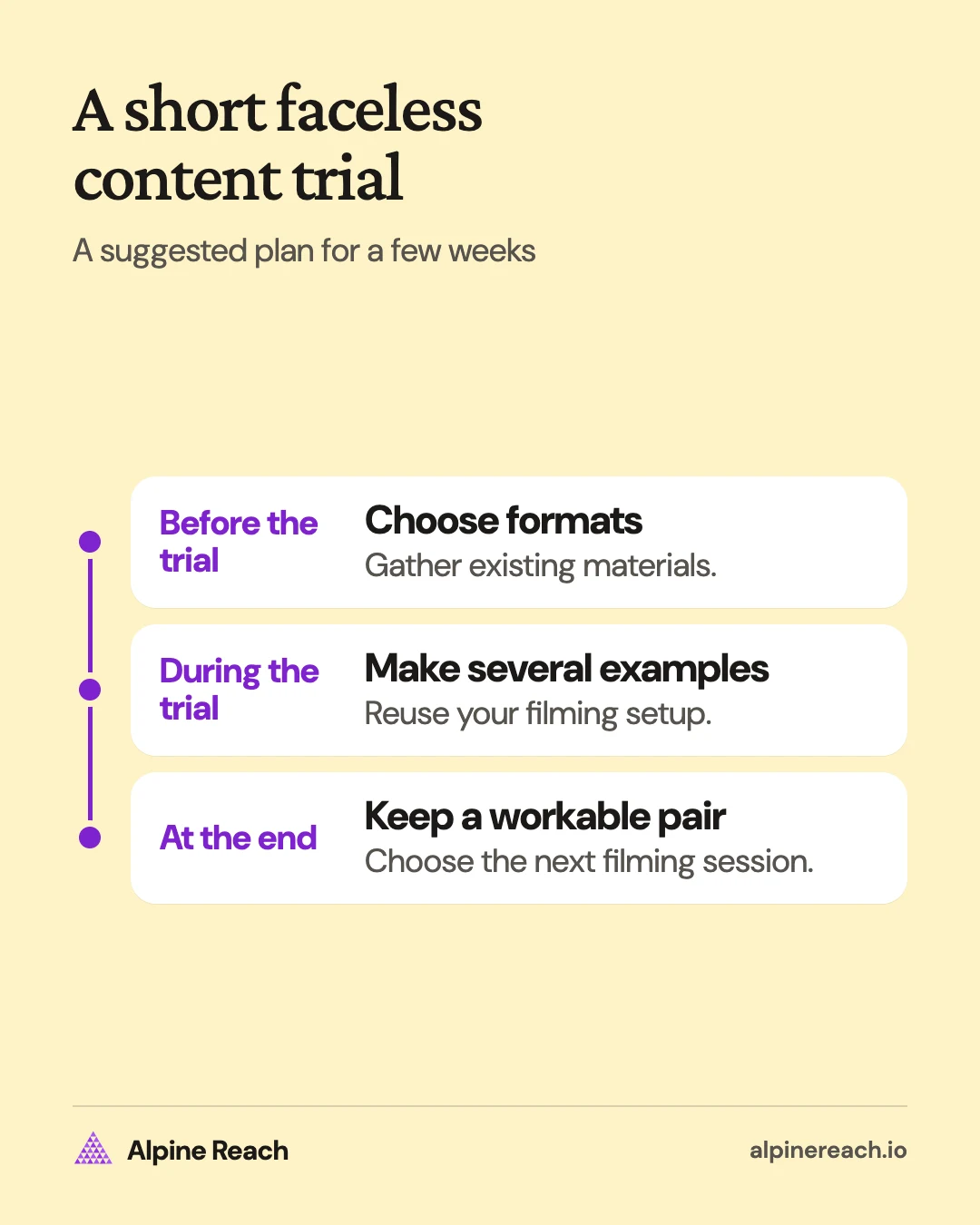
Record preparation, filming, and editing time separately. Note whether the format required work you would not otherwise have done, and whether you felt comfortable sharing it. Read replies for specific signs of usefulness, such as someone asking how to try the demonstrated task. Keep service inquiries separate from general reactions.
Give each format several distinct examples before deciding whether the setup is workable. For numeric response comparisons, use the TikTok engagement guide.
A small account example
Imagine a made-up account for a freelance sewing-pattern designer. The designer is comfortable showing hands and recording a voice, but has little time to film during paid work.
The trial pairs seam-sample footage with narrated close-ups of fabric. Both use leftover material prepared in a separate session. A photo comparison of thread colors is an optional third format, using the same setup.
The review asks whether the footage showed the detail clearly, which edits took too long, and what viewers still needed explained. Use those observations to plan the next batch.
End with one decision: keep the pair you can sustain that gives viewers a useful explanation, and put its next filming session on your calendar.
FAQ
What is the best faceless TikTok niche for a beginner?
Choose a subject you can document with your own material. If you sew, try seam samples or fabric close-ups. Pick a subject that gives you fresh examples without requiring a separate production every time.
What can I post without showing my face or using my voice?
Try a photo comparison with short labels, a process clip with readable text, or an annotated desk setup. Keep each image focused on a point and preview the sequence on a phone.
What should a small business show on a faceless TikTok account?
Choose a product detail, a material choice, or a visible part of the work you can explain accurately. Plan the frame so customer details and private paperwork stay out of view.
General information. Platform features, limits and benchmarks change: check the cited page before you rely on a number.
References
- TikTok Help Center. Accessibility for your videos. n.d. View source (accessed Nov 17, 2026).
- TikTok Help Center. Making a post. n.d. View source (accessed Nov 17, 2026).
- TikTok Help Center. Duets. n.d. View source (accessed Nov 17, 2026).
- TikTok Help Center. Stitch. n.d. View source (accessed Nov 17, 2026).
- TikTok Community Guidelines. Integrity and Authenticity. 2026. View source (accessed Nov 17, 2026).
- TikTok Help Center. About AI-generated content. n.d. View source (accessed Nov 17, 2026).
- TikTok Help Center. Commercial use of music on TikTok. n.d. View source (accessed Nov 17, 2026).