

In short
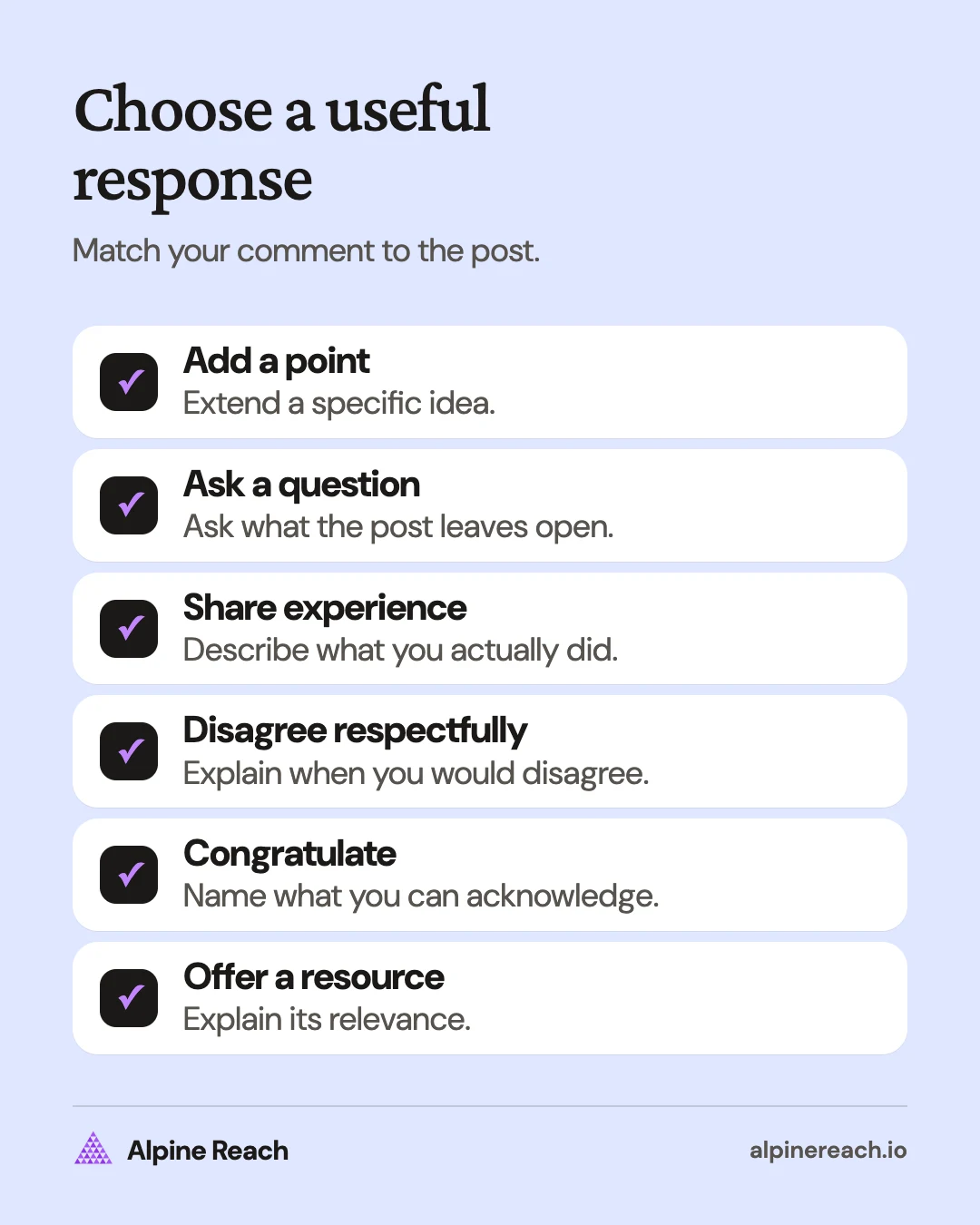
- Respond to a specific detail: add a point, ask a real question, share something you did, disagree respectfully, congratulate, or suggest a resource.
- Disagree with the idea, not the person: LinkedIn's Professional Community Policies prohibit harassment and targeted personal attacks.
- Skip generic praise and pitches: LinkedIn's policies prohibit irrelevant promotional content and ask members to respond authentically.
- Mention someone by typing @ and choosing their name, and edit or delete your comment from its More menu.
In this article
Comment on a LinkedIn post by responding to a specific detail: add a useful point, ask a real question, share a relevant experience, disagree respectfully, congratulate someone, or suggest a resource. Choose the response that fits the post and write it in words you would use in conversation.
Choose a response before you write
Read the whole post, including the material you are responding to. Then decide what you can contribute. A peer's process breakdown might need a practical addition. A prospect's question might need a direct answer. A promotion announcement calls for congratulations, without a sales pitch attached.
Use this starting sentence when you feel stuck: "The part about [detail] made me think about [your point]." Replace both parts with something specific, then remove the introduction if your point reads clearly without it.
You do not need an impressive achievement to participate. Ask about a decision you are trying to understand. Avoid claiming expertise or familiarity you do not have. If you cannot identify anything you want to say, skip that post.
Useful LinkedIn comment types with examples
The comments below are examples to adapt. Keep any personal experience truthful, replace details to fit the actual post, and choose a tone that matches your relationship with the author.
Add a specific point
Use this when you agree and can extend the practical advice. Name the part you are building on, then explain the addition. Do not simply rewrite the author's conclusion.
For a peer sharing a content planning process:
"I'd add a place to record the question behind each idea. That gives you something to check when the draft starts drifting."
For a client explaining how they prepare a project brief:
"The section on who approves the work is useful. I'd also name who makes the final decision if reviewers disagree."
For a founder sharing a product announcement checklist:
"A sample of the finished output would be a useful addition here. It would show a reader what they'll have when they finish the setup."
Ask a real question
Ask about something the post leaves open. Keep the question narrow enough to answer without asking the author for a free consultation. Check that they have not already answered it in the post.
For a prospect discussing how their team chooses topics:
"When sales and support suggest different topics, how do you decide which question to answer next?"
For a hiring manager explaining their portfolio review process:
"When you review a portfolio, do you prefer seeing the initial brief alongside the finished work?"
For a creator showing a writing workflow:
"What tells you a draft needs a new opening rather than another round of sentence edits?"
A question is optional. If you already have a complete point, let it stand without adding "Thoughts?" at the end.
Share a short related experience
Keep your experience connected to the author's point. Describe what you did and the context. Avoid turning an individual experience into a rule for everyone.
For a post about keeping track of ideas:
"I keep a note of questions I couldn't answer during a project. I return to it when I'm deciding what to write about."
For a post about editing your own writing:
"I read drafts aloud before sending them. The sentences I stumble over are the ones I revisit first."
For a post about learning a new skill:
"I'm learning video editing by making a short practice clip from my own footage. Working on a complete clip gives me a specific problem to look up."
If you have not done it yourself, ask a question or offer a suggestion instead.
Disagree respectfully
Identify the recommendation you question and explain the condition that changes your view. Address the idea. Give the author room to clarify their context.
For a post recommending daily publishing:
"I'd be cautious about making daily posting the starting point for a solo business. How would you adapt this for someone who also handles all the delivery work?"
For a post recommending a single approval process:
"I see a reason to separate factual review from style feedback here. Would the same approval path still work when the draft needs a technical specialist?"
For a post saying every comment should end with a question:
"I don't think every response needs a question. Sometimes a clear answer to what the author asked is enough."
Keep the discussion professional. LinkedIn's Professional Community Policies prohibit harassment and targeted personal attacks.1
Congratulate with substance
Name the achievement and something you can honestly acknowledge about it. You can be warm without pretending to know the person's career or private circumstances.
For a new job announcement:
"Congratulations on the new role. It's good to see you'll be focusing on the accessibility work you mentioned in your post."
For a peer launching a newsletter:
"Congratulations on launching. The focus on practical editing examples gives me a clear sense of what you'll cover."
For a promotion announcement:
"Congratulations on the promotion. Thank you for sharing what the new responsibilities involve. Wishing you well as you get started."
If you know the person well, include a detail from your shared work that is appropriate to discuss publicly. If you do not, stick to what they chose to announce.
Point to a relevant resource
Offer a resource when it answers a question in the post. Explain which part is useful so the author can decide whether to read it. Open the resource yourself before recommending it, and disclose your connection if it is yours.
For a post asking about a platform feature:
"LinkedIn Help's 'Mention people in your posts' page is where I'd start with this tagging question."
For a post asking how to organize draft reviews:
"A checklist with separate sections for factual accuracy and wording might help here. You could use it to make the type of feedback clear before sharing the draft."
For a post requesting examples of writing briefs:
"I have a blank brief template I use for my own writing. Happy to share it if you're still collecting examples."
Follow any instructions in the post about submitting resources. Do not use a resource recommendation to introduce an unrelated offer.
What to avoid in a comment
Generic praise with no detail. "Great post" can express appreciation, but it leaves your reason unstated. Add the detail you appreciated when you have something specific to say.
Pitching under someone else's post. Answer the question being discussed. Skip the unrelated service offer, booking link, or request to check your profile.
Copy-paste AI comments. Do not publish a polished summary you have not checked against the post. If you use AI to help with wording, start from your own point and read the final comment yourself.
LinkedIn's policies prohibit irrelevant promotional content and gratuitously repetitive content, and tell members to respond authentically rather than arrange artificial engagement.1
Before publishing, check whether your comment refers to this particular post, says something you believe, and respects the author's topic. Delete any sentence that only advertises you.
How to comment, mention someone, or correct a mistake
As of November 2026, LinkedIn Help gives these desktop steps:2
- Click Comment below the post.
- Type your response.
- Click Comment to submit it.
To answer an existing comment, use Reply beneath that comment.2
To mention someone, type @ followed by their name and select the correct person from the suggestions.3 Mention someone when their contribution is relevant to the discussion.
To edit your comment:4
- Open the comment's More menu.
- Choose Edit and make your changes.
- Select Save Changes.
To delete your comment, open More, choose Delete, and confirm the deletion.5 Deleting a comment also removes its likes and replies.5
Comment as yourself or as a Page
Check the identity beside the comment box before submitting. Use your personal identity for your own perspective and your organization's Page when you are authorized to speak for it.
LinkedIn requires a super admin or content admin role to comment as a Page, and limits this to public posts found in the feed or through search.6 On desktop, open the dropdown beside your profile picture at the lower left of the post, select the Page, and click Save before commenting.6
If commenting is unavailable, the author may have disabled comments or limited them to connections.2 Respect that setting and move on.
Make commenting a short weekly habit
Reserve a short slot in your calendar for reading and responding. Start with peers whose work you follow, people asking questions you can help with, and professional topics you want to understand better.
- Read a post completely before choosing a comment type.
- Write a response only when you have a point, question, or acknowledgment to offer.
- Return to the discussion and answer relevant follow-up questions.
- Note useful questions for your own future writing, without copying the author's post.
Keep this connected to your LinkedIn content strategy. When a comment needs a fuller explanation, use the question to develop your own LinkedIn post. If you need topics, start with these LinkedIn post ideas.
Review the discussions for questions answered and things you learned. Use LinkedIn analytics separately to review your own published content. Do not treat a reply or a change in your post statistics as proof that commenting caused a business result.
FAQ
What is a short appreciation comment for LinkedIn?
Name what you appreciated and why. For example: "The explanation of how you chose the topic was especially useful. It gives me a question to ask before drafting." Adapt it to the post you actually read.
What should I comment on a hiring manager's post?
Respond to the subject they raised. If they describe their hiring process, ask a focused question about it. Follow the stated application instructions rather than turning an unrelated discussion into a job request.
Do I need to ask a question in every LinkedIn comment?
No. A complete answer, a relevant addition, or sincere congratulations can stand on its own. Ask when there is something you actually want to understand.
General information. Platform features, limits and benchmarks change: check the cited page before you rely on a number.
References
- LinkedIn. LinkedIn Professional Community Policies. n.d. View source (accessed Nov 10, 2026).
- LinkedIn Help. Comment on posts and reply to a comment. n.d. View source (accessed Nov 10, 2026).
- LinkedIn Help. Mention people in your posts. n.d. View source (accessed Nov 10, 2026).
- LinkedIn Help. Edit comments in your LinkedIn feed. n.d. View source (accessed Nov 10, 2026).
- LinkedIn Help. Delete comments in your LinkedIn feed. n.d. View source (accessed Nov 10, 2026).
- LinkedIn Help. React or comment on posts as your organization's LinkedIn Page. n.d. View source (accessed Nov 10, 2026).