

In short
- LinkedIn suggests sharing your skills, knowledge, everyday work, and processes.
- LinkedIn recommends adding your perspective to professional announcements, including what prompted a change or came from it.
- LinkedIn's Page guidance recommends asking about a relevant industry topic and responding to the answers.
In this article
Use these LinkedIn post examples to explain an idea, show a work sample, share news, start a discussion, or invite someone to take a next step. Each complete post comes with a short note on its opening, structure, specific detail, and ask, so you can adapt the reasoning along with the words.
The posts below are made-up examples for creators, freelancers, founders, and small teams. Replace the experiences, dates, milestones, and offers with details you can honestly support. “Why it works” refers to the writing choices, not measured performance.
LinkedIn's creator guide suggests sharing your skills and knowledge, along with your everyday work and processes.1 Start with the goal closest to what you have to share. For a broader topic list, use what to post on LinkedIn.
Share expertise: give someone a usable answer
Choose a task you can explain through an example. The posts here give the reader something to try without requiring a purchase or a reply.
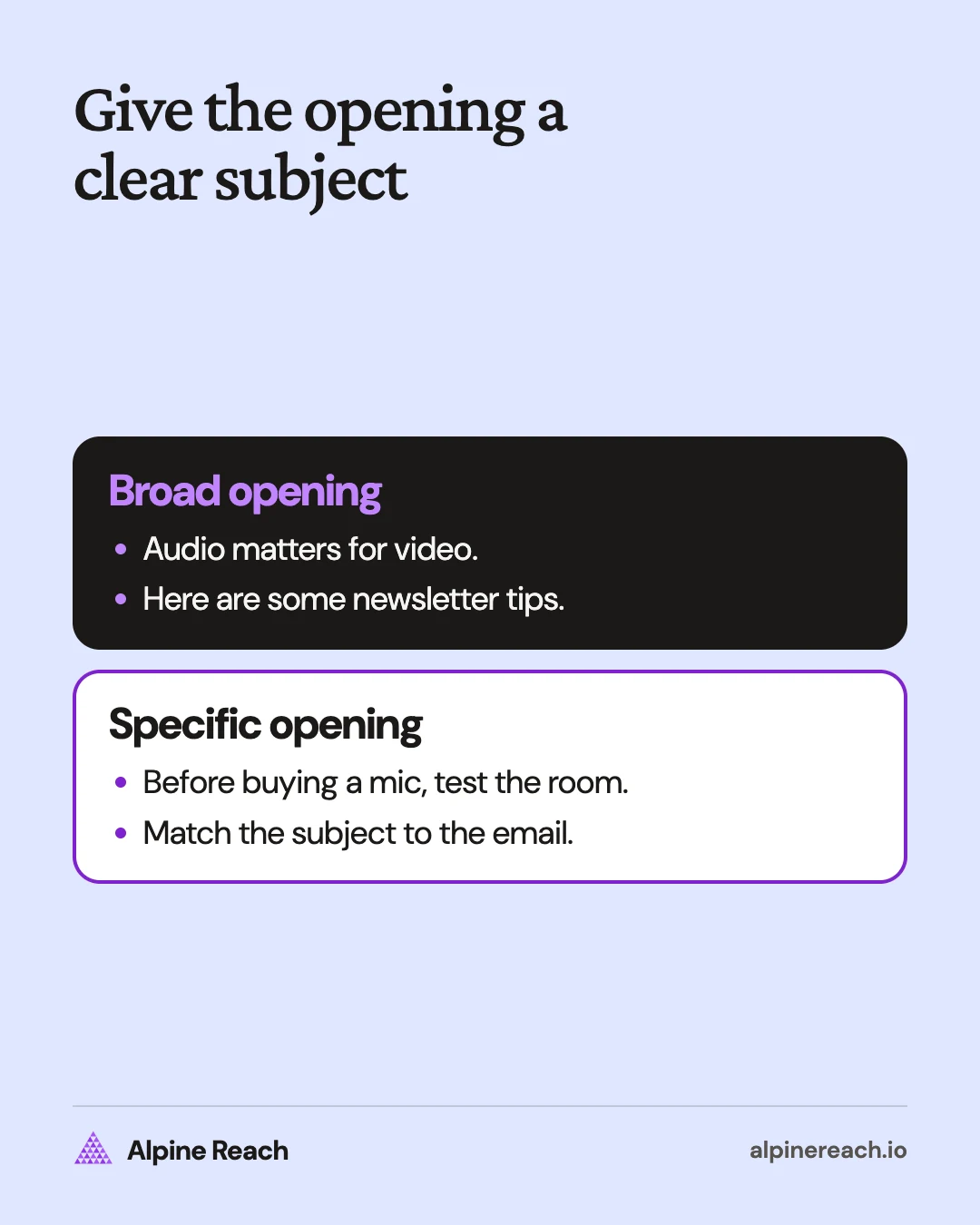
Explain a decision rule
Before buying a microphone for your videos, listen to the room.
Record yourself saying the same sentence beside the window, beside a bare wall, and beside a curtain. Keep the microphone at the same distance each time.
Listen for echo and background noise before comparing equipment.
My starting question would be: can I change the recording spot before changing the microphone?
Try the room test with what you already own. Write down what you hear before deciding what to buy.
Why it works: The opening names a familiar purchase decision. The structure moves from a comparison to a decision rule. The curtain makes the test concrete. The ask is an action the reader can try privately.
Answer a recurring work question
A newsletter subject line should tell the truth about the email underneath it.
Take a newsletter about recording interviews. This subject line works:
“Before your next interview, check the audio.”
The email explains how to record a short sample, listen back, and confirm that each speaker is audible.
This one does not: “The interview secret nobody tells you.” It promises a discovery the email does not contain.
Read your next subject line beside the email. Can you point to the paragraph that delivers its promise?
Why it works: The opening states a clear standard. The paired subject lines demonstrate it, and the audio check supplies the detail. The final question gives readers a way to inspect their own draft.
Show your work: explain a choice inside the sample
Use this when you have an original exercise or public work sample you can share. Give the reader enough context to understand your contribution without guessing what the finished object proves.
Walk through a portfolio decision
I left the decorative pattern off this packaging practice project.
The assignment I set myself was a label for a refillable soap bottle. I wanted the product name and refill instructions to have distinct places.
In my sketch, the pattern occupied the space I had reserved for the instructions. I kept the plain version in the portfolio and included the discarded sketch beside it.
The useful part of the sample is the choice: what belongs on the label, and what can stay in the sketchbook?
When you review packaging, what information do you look for first?
Why it works: The opening names a visible omission. The structure explains the assignment, constraint, and decision. Refill instructions anchor the reasoning. The ask invites feedback about the work rather than praise for the designer.
If your sample needs several annotated pages, use the LinkedIn carousel guide to prepare the document. Keep the explanation of your decision in the accompanying post.
Announce something or celebrate a milestone
LinkedIn's writing guide recommends adding your perspective to professional announcements, including what prompted a change or what came from it.2 Give the news a clear meaning for your reader.
Announce a new newsletter
I'm starting a newsletter about the work between recording a podcast and publishing it.
Each issue will examine an editing decision: what to cut, where an explanation is missing, or when a pause belongs in the conversation.
The first issue will use a practice interview I recorded myself. I'll include an excerpt and explain the edit I would make.
It's for independent podcasters who edit their own episodes and want to discuss the choices involved.
If that sounds useful, send me a message and I'll share the subscription details.
Why it works: The opening delivers the announcement immediately. The structure covers subject, sample, audience, and next step. The practice interview makes the offer concrete. The ask is clear without claiming the newsletter will produce results.
Mark a completed project
My illustration portfolio is ready to share.
It contains a set of self-directed editorial pieces, each built around an article topic I chose for practice.
Alongside each finished piece, I included the original sketch and a note about the visual decision I wanted to explore.
Finishing the collection gives me a place to explain what I want to make next: illustrations that help someone understand a difficult idea.
I'm taking a moment to mark the finish before starting another brief.
Why it works: The opening states the milestone plainly. The structure shows what was completed and why it matters. The sketch notes add substance. There is no ask because the purpose is to mark a finish.
Ask a question you want answered
LinkedIn's guidance for company Pages recommends asking about a relevant industry topic and responding to the answers.3 For your own post, choose a question where you can explain why the answer matters.
Ask about a real tradeoff
When you approve a social post, do you review the words before the design or together?
I'm deciding how to organize a small team's review process.
Reviewing the words first would let us settle the message before laying it out. Reviewing them together would let us judge the caption and visual as a single piece.
The difficult case is a visual where changing the headline also changes the layout.
Which approach do you use, and what makes you switch? I'm especially interested in how you handle that headline change.
Why it works: The opening offers a bounded choice. The structure explains both options before naming the difficult case. That headline detail gives respondents something specific to discuss. The ask seeks reasoning, not a vote.
When answers arrive, use the guide to commenting on LinkedIn posts to continue the discussion with a relevant response.
Tell a short story or share a mistake
Choose a moment that carries a professional point. Keep the story close to an observable decision, then explain what you would carry into the next piece of work.
Tell a story about noticing something
I put my workshop notes on the floor before turning them into slides.
Each sheet held a topic I wanted to explain. Standing back, I noticed the opening exercise depended on a term I had planned to introduce near the end.
I moved the definition beside the exercise and wrote a question on the empty sheet: “What does someone need to know before trying this?”
That's the question I'm using while I plan the rest of the workshop.
If you teach a process, look at the first exercise. What knowledge does it assume?
Why it works: The physical scene makes the opening specific. The structure follows an observation into a planning decision. The misplaced definition gives the story a point. The close asks readers to inspect their own teaching material.
Explain a mistake and your next rule
I used “ready” as a project status without defining it.
On my personal video board, “ready” could mean the script was finished, the footage was recorded, or the edit was waiting for a final check.
I had given different tasks the same label.
For the next video, I'm using statuses that name the next action: record the voiceover, review the edit, or check the captions.
Before adding a status to your own board, finish this sentence: “When a task reaches this stage, the next action is…”
Why it works: The opening identifies a small, believable mistake. The structure explains the ambiguity and a proposed correction. Named production tasks make the lesson usable. The ask is a sentence readers can complete for themselves.
Invite readers to an event or offer
State who the invitation is for, what it includes, and what someone needs to do next. Write enough detail for a reader to decide whether to ask for more.
Invite people to a workshop
Planning a podcast interview? I'm hosting a free online workshop on preparing the questions.
We'll take a sample topic, identify what a listener needs to understand, and turn the gaps into interview questions.
Bring a topic you want to explore. You can work on your own questions during the session, but you won't need to share them publicly.
It's on November 20, 2026, at 1 p.m. Eastern, for independent podcasters preparing their own interviews.
Message me for the registration link and session details.
Why it works: The opening names the audience and invitation together. The structure explains the activity before the logistics. The sample topic shows what participants will do. The ask tells interested readers how to register.
Describe a service with a clear boundary
If your welcome email is written but you're unsure what to cut, I offer an editing review.
You send the draft and explain what a new subscriber needs to do after reading it.
I return an annotated version with suggested cuts, questions about missing context, and notes on the closing invitation. You decide which edits to use.
This review covers the email copy. It doesn't include design or automation setup.
Message me with the kind of newsletter you write, and I'll send the scope, price, and availability before you decide.
Why it works: The opening identifies a precise need. The structure explains the input, deliverable, and boundary. Annotation notes make the service tangible. The ask leads to information a buyer needs without requesting an immediate commitment.
Adapt the example to your own goal
Pick the post whose purpose matches your next action: teach something, discuss a decision, or invite someone to act. Keep only the structure that helps you say something true.
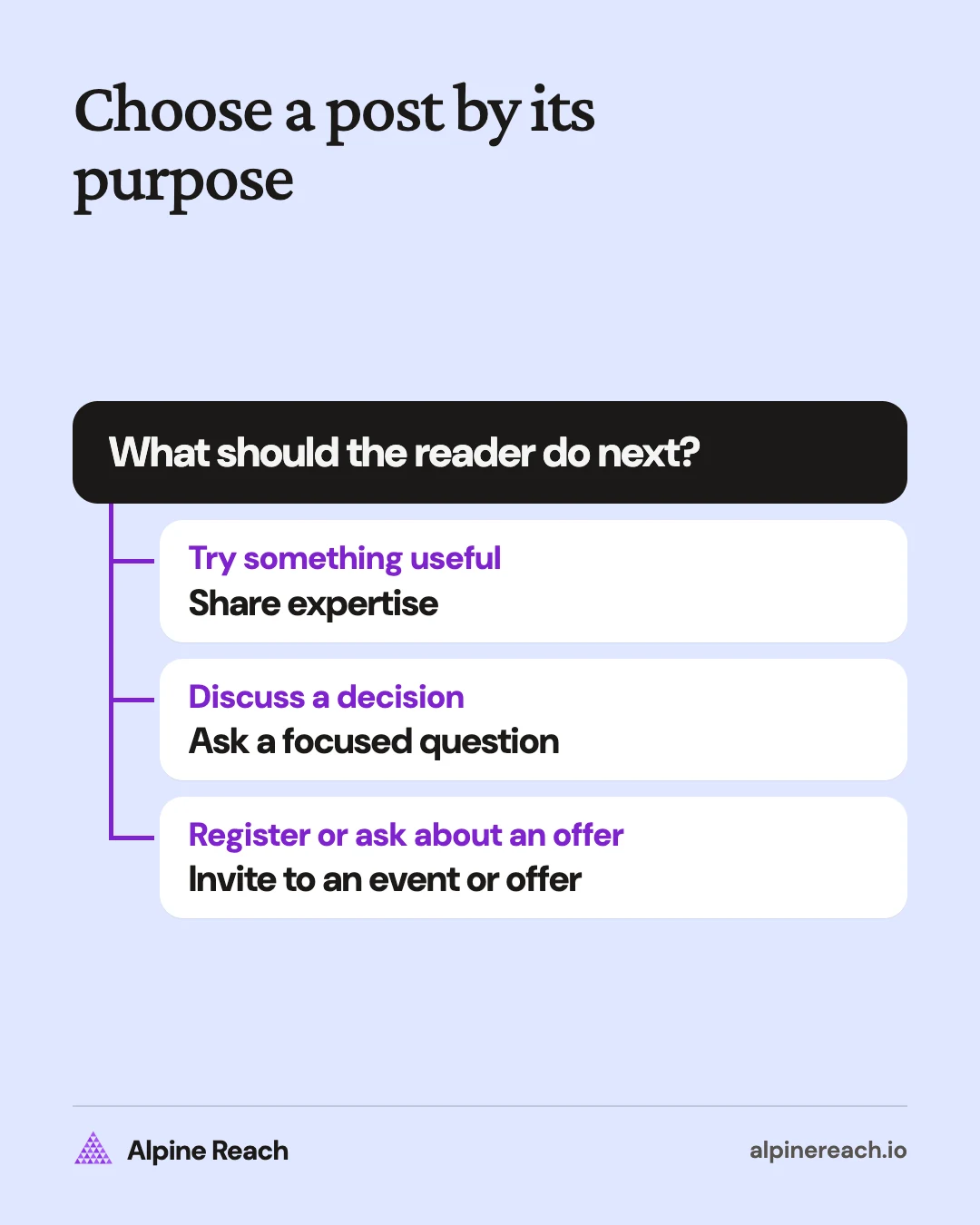
Replace the example's task, constraint, and specific detail before polishing the opening. If you cannot support the experience, use an actual practice exercise or choose a different post. Remove any invitation you cannot fulfill.
For help drafting from scratch, use how to write a LinkedIn post. Connect the choice to your broader social media strategy, and use the LinkedIn posting-time guide to plan a time to test.
FAQ
Can I use these LinkedIn post examples for a company Page?
Yes. Replace the individual perspective with the team's actual work and name the audience for the announcement or invitation. Use a named speaker only when that person has agreed to the wording.
Which LinkedIn post example should I use if I am just starting out?
Choose a task you can explain or a practice project you can show. A useful question can also be a starting point when you explain what decision you are trying to make.
Should I copy a LinkedIn post template word for word?
Use the structure as a starting point. Replace the experience, concrete detail, and invitation with your own, then read it aloud and remove wording you would not normally use.
General information. Platform features, limits and benchmarks change: check the cited page before you rely on a number.
References
- LinkedIn. CREATE - A guide to creating engaging LinkedIn posts. n.d. View source (accessed Nov 11, 2026).
- LinkedIn. How to Write an Engaging Post in Your LinkedIn Feed. 2024. View source (accessed Nov 11, 2026).
- LinkedIn. 15 Inspiring Content Ideas for Your LinkedIn Page. 2024. View source (accessed Nov 11, 2026).